
Thermostats in the Grata App
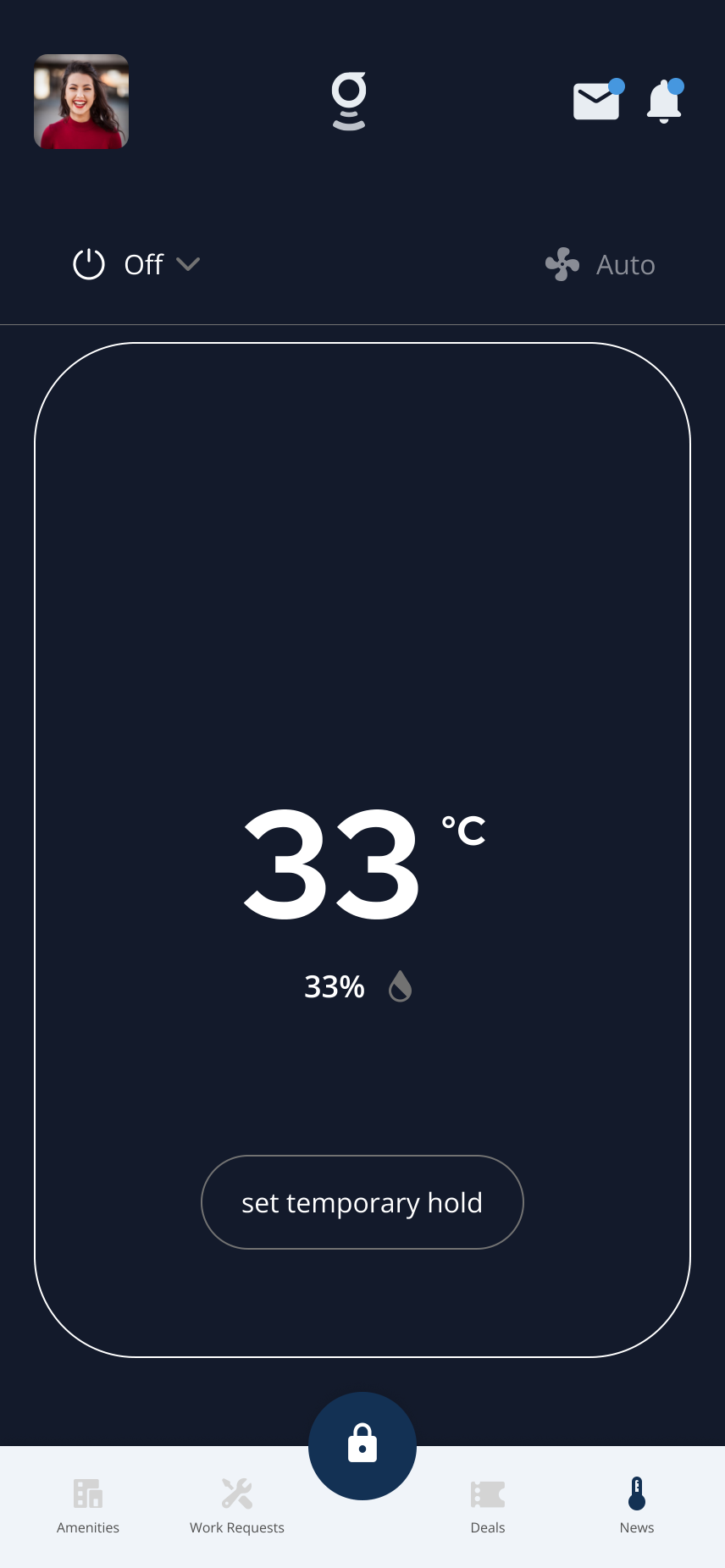
The thermostat screen shows room temperature, humidity, mode, fan, and hold controls when enabled for your unit.
What you can do
View and Use Thermostat Controls
Open Thermostats on the home screen to see the current temperature, humidity, and available controls for your unit.
Change Thermostat Temperature
Tap the temperature display and adjust the target setpoint for heating or cooling.
Change Thermostat Mode
Switch between Heat, Cool, Auto, and Off modes using the mode selector in Thermostats.
Set Temperature Hold in Grata App
Override the schedule and hold a fixed temperature until you cancel the hold manually.
Change Fan Settings in Grata App
Switch between Auto fan and continuous On modes from the fan settings.
View Thermostat Humidity Water Droplet
Check the current humidity reading for your unit from the thermostat screen.
Thermostat Not Responding
Troubleshooting steps for when the thermostat shows as offline, displays stale data, or does not respond to commands.
Details and helpful notes
Details and helpful notes
Good next articles
Start with these guides for common tasks, setup, and troubleshooting in this area.
Controls
View and Use Thermostat Controls
Open Thermostats to see room temperature, humidity, mode, fan setting, and the controls available for your unit.
Read article →
Open Thermostat Profile in the Grata App
Use this guide to manage thermostat settings and HVAC controls.
Read article →
Change Thermostat Mode
Change your thermostat mode in the Grata app — choose Heat, Cool, Auto, or Off when available for your unit.
Read article →
Change Fan Settings
Change available fan settings such as Fan Auto or Fan On from the thermostat screen when your building and unit support...
Read article →
Set a Temperature Hold
Tap Set Temporary Hold, choose a temperature, pick Next Schedule or Indefinite if shown, then tap Set Hold.
Read article →
Select Thermostat Heat Mode in the Grata App
Use this guide to manage thermostat settings and HVAC controls.
Read article →
Select Thermostat Cool Mode in the Grata App
Use this guide to manage thermostat settings and HVAC controls.
Read article →
Select Thermostat Auto Mode in the Grata App
Use this guide to manage thermostat settings and HVAC controls.
Read article →
Select Thermostat Off Mode in the Grata App
Use this guide to manage thermostat settings and HVAC controls.
Read article →
View Thermostat Humidity from Water Droplet Icon
Use this guide to manage thermostat settings and HVAC controls.
Read article →
Troubleshooting
Thermostat Is Not Connecting or Showing Data
Troubleshoot when your thermostat is missing, offline, or not showing data in the Grata app — refresh the app, confirm y...
Read article →
Thermostat FAQ
Common thermostat questions—what you can control in Grata, why settings may be missing, and how holds work.
Read article →
Honeywell T9 Troubleshooting
When your Honeywell T9 isn't responding, here's what to check before contacting maintenance — Wi-Fi, sensor batteries, a...
Read article →