
Bluetooth / Range Troubleshooting
Section: Doors & AccessCategory: TroubleshootingHow-to1 min read
Summary
If app-based door access is inconsistent or only works sometimes, the issue is often distance, signal interference, or physical barriers between your phone and the lock or reader. This article covers range and proximity fixes. For phone-level Bluetooth settings or app permission issues, see Bluetooth Not Working.
Bluetooth unlock requires close proximity. The lock or reader must be able to communicate with your phone wirelessly, and thick walls, metal doors, elevators, and other materials can reduce the effective range.
Why range matters▾
- Bluetooth has a limited range, and most building locks are optimized for close-range communication.
- Standing too far from the lock — even a few metres — can cause intermittent or failed connections.
- Physical barriers such as concrete walls, metal doors, elevator shafts, and stairwells reduce signal strength significantly.
- Range issues are especially common in stairwells, elevator lobbies, underground parking, and thick-wall construction buildings.
What can interfere with Bluetooth▾
- Metal doors, reinforced concrete walls, and thick building materials.
- Nearby Bluetooth devices that may compete for signal.
- Elevator shafts and mechanical rooms.
- Underground parking structures with heavy shielding.
- Phone cases with metal components can sometimes reduce signal.
Step-by-Step Instructions
1Step 1: Start from the Grata Smart Living home screen
- Sign in to your resident account.
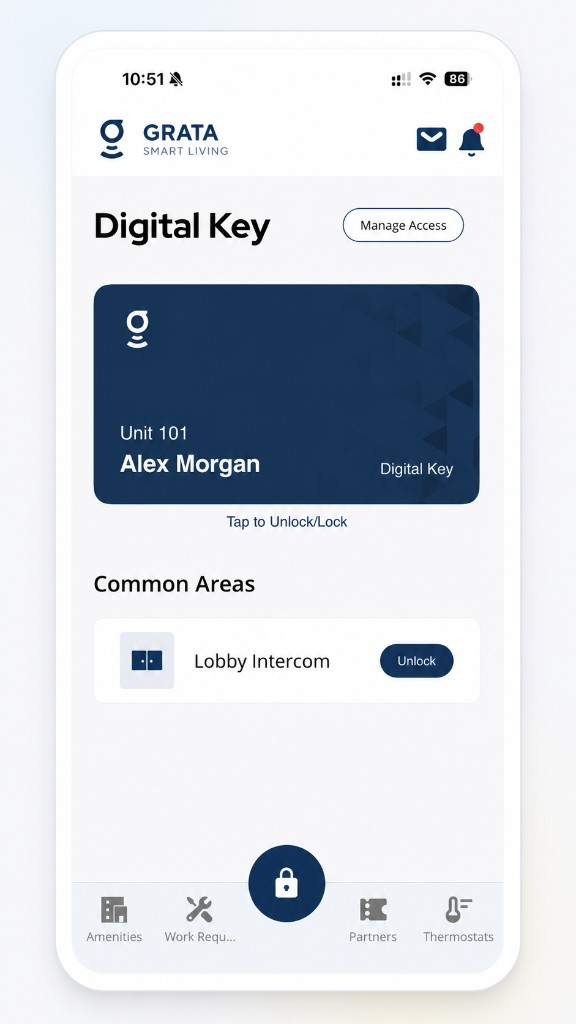
Start from the Grata Smart Living home screen.
2Step 2: Use your on-screen door control
- Use the Digital Key / door area on the home screen, or tap Lock on the bottom bar and pick a door—labels vary by building.
3Step 3: Tap Unlock
4Step 4: Pick the door you want to unlock
5Step 5: Wait for the app to complete the unlock action
6Step 6: Open the door
Tips
- Avoid holding the phone in a way that your hand covers the top edge — phone Bluetooth antennas are often near the top.
Related articles
Lock or Unlock a Door with the Grata App
1 min read
Use this guide to lock or unlock doors and confirm access status.
My PIN Is Not Working
1 min read
When your PIN won't open the door, confirm the correct code in Manage Access, wake the keypad, check for locko...
PIN Troubleshooting in the Grata App
4 min read
Fix common PIN issues—wrong codes, unresponsive keypads, missing My PIN, expired guest PINs, sync delays, and...
Contact Property Management or Support
1 min read
Reach your property management team or Grata support straight from the app — Rudy AI, Email Support, or your b...