
Forgot my password
Summary
Step-by-Step Instructions
1Step 1: Tap Forgot Password on the login screen
From the Grata Smart Living login screen, tap Forgot Password? under the Login button.
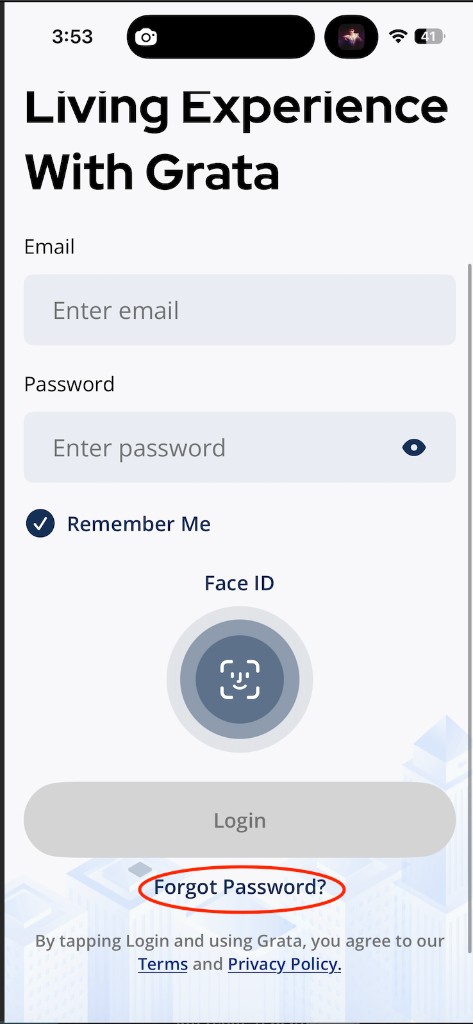
Tap Forgot Password? from the login screen.
2Step 2: Enter your email address
On the Forgot password? screen, enter the email address connected to your Grata Smart Living account. Then tap Send reset link. If the button is disabled, confirm that the email field is filled in correctly.
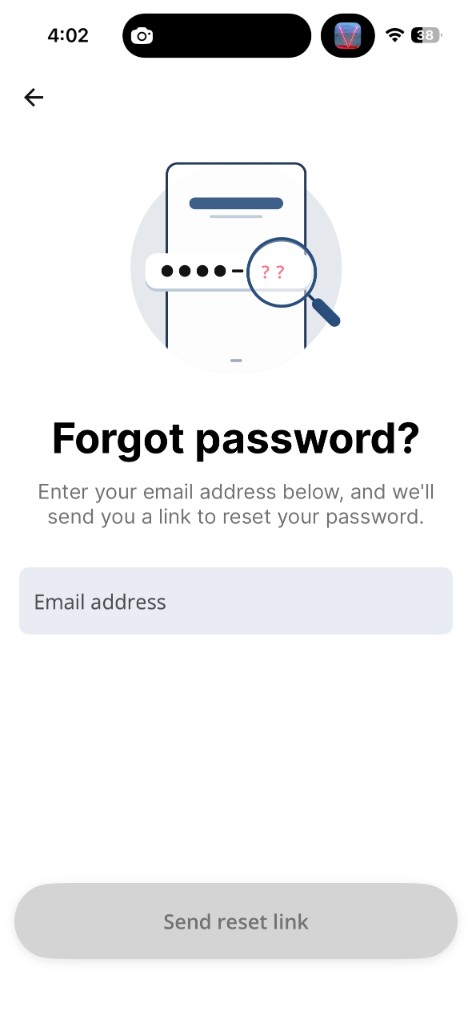
Enter your account email address, then tap Send reset link.
3Step 3: Check for the confirmation screen
After the request is submitted, the app will show a Check your email message. This means Grata has sent a password reset email to the address you entered. If you do not receive the email, confirm the email address is correct and check your inbox, spam, junk, or filtered mail folders. You can also tap Resend link if shown.
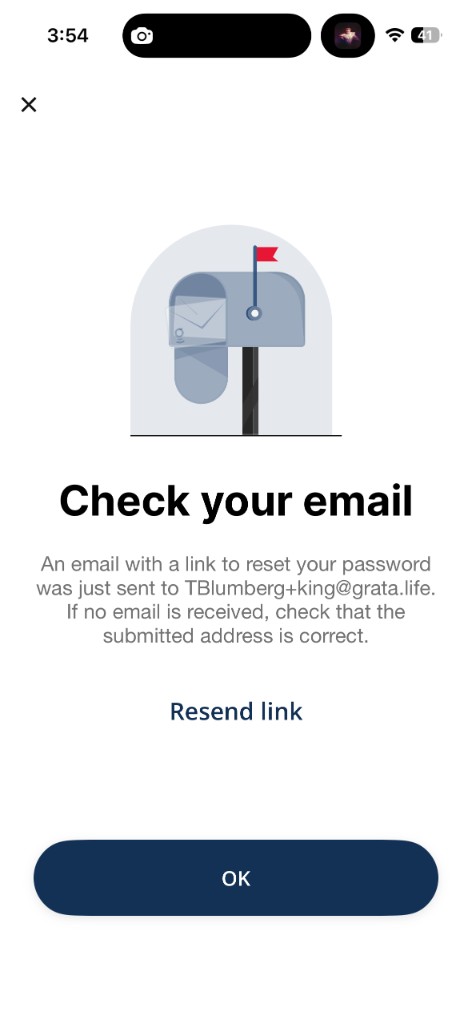
The app confirms that a password reset email was sent.
4Step 4: Open the Grata password reset email
Open the password reset email from Grata. The subject line is Grata Password Reset. Tap Reset Password in the email and follow the instructions to create a new password. After your password is changed, return to the Grata app and sign in with your new password.
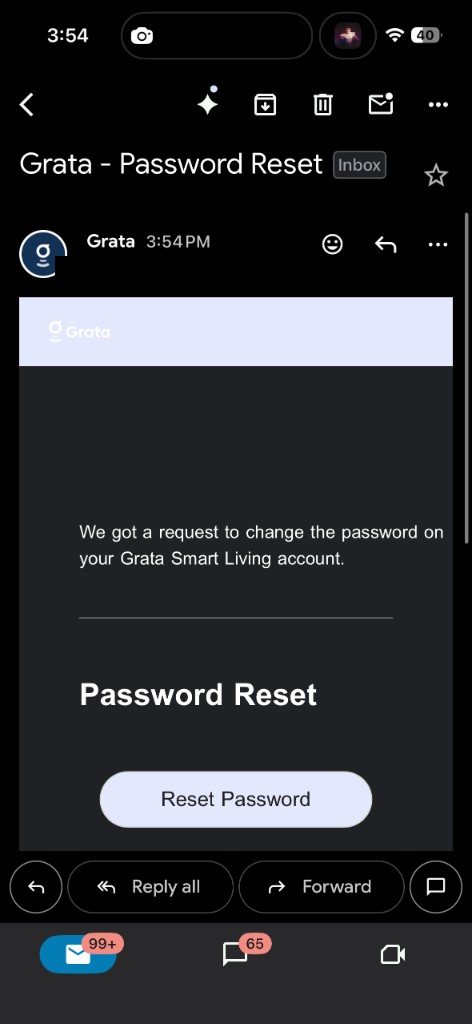
Open the Grata password reset email and tap Reset Password.
If you still cannot sign in
- If you still cannot sign in after resetting your password, check that you are using the email address connected to your Grata account, confirm you have internet access, and try requesting a new reset link.
- Contact your building or property management team if the issue continues — they may need to confirm or update your account information.
Related articles
Sign In to the Grata App
1 min read
Sign in to Grata Smart Living with the email on your building profile and your password or temporary password.
Report Incorrect Account Information
1 min read
If building, unit, or resident details are wrong and cannot be edited, report them to your building team.
Profile Overview
1 min read
Update account details, passwords, notification settings, and support options from Profile.
Getting started with Grata
2 min read
Use this guide to complete resident tasks in the Grata app.
Who to contact for help
2 min read
Use this guide to complete resident tasks in the Grata app.