
Digital Key Overview
Summary
What Digital Key does▾
- Digital Key is an app-based access option in the Grata app.
- It may let you unlock supported suite doors, common area doors, intercom-connected doors, or other access points.
- Availability depends on building hardware and how property management configured access for your unit.
- Digital Key does not replace every other access method your building may provide.
Where Digital Key may work▾
- Suite or unit doors when mobile access is enabled for your profile
- Common area doors such as lobby, garage, or side entrances
- Amenity spaces when your building lists them under Common Areas
- Intercom or front entrance doors when configured for app unlock
- Other supported access points assigned to your resident permissions
What your phone may need▾
- The Grata app installed and signed in with the correct account
- Bluetooth enabled when your building uses Bluetooth-based access
- Grata app permissions enabled (Bluetooth or Nearby devices on Android)
- An internet connection for some app and account functions, even when offline unlock may be available for a limited time
- Physical proximity to the lock or reader when the app prompts you to move closer
- Enough phone battery for Bluetooth and the app to stay active
Why Digital Key may look different by building▾
- Building hardware and lock model
- Access-control setup and intercom integration
- Unit type and resident permissions
- Rollout stage and which features are enabled
- Property-management configuration for doors, guests, and common areas
If Digital Key is not working▾
- Confirm Bluetooth is on and Grata app permissions are enabled.
- Stand close to the door or reader when unlocking or programming.
- Confirm you are signed into the correct Grata account and selected the right door.
- Try an approved backup method such as a PIN, fob, physical key, front desk, security, or your building's lockout process if available.
- Contact property management if your access permissions, building, or unit assignment look incorrect.
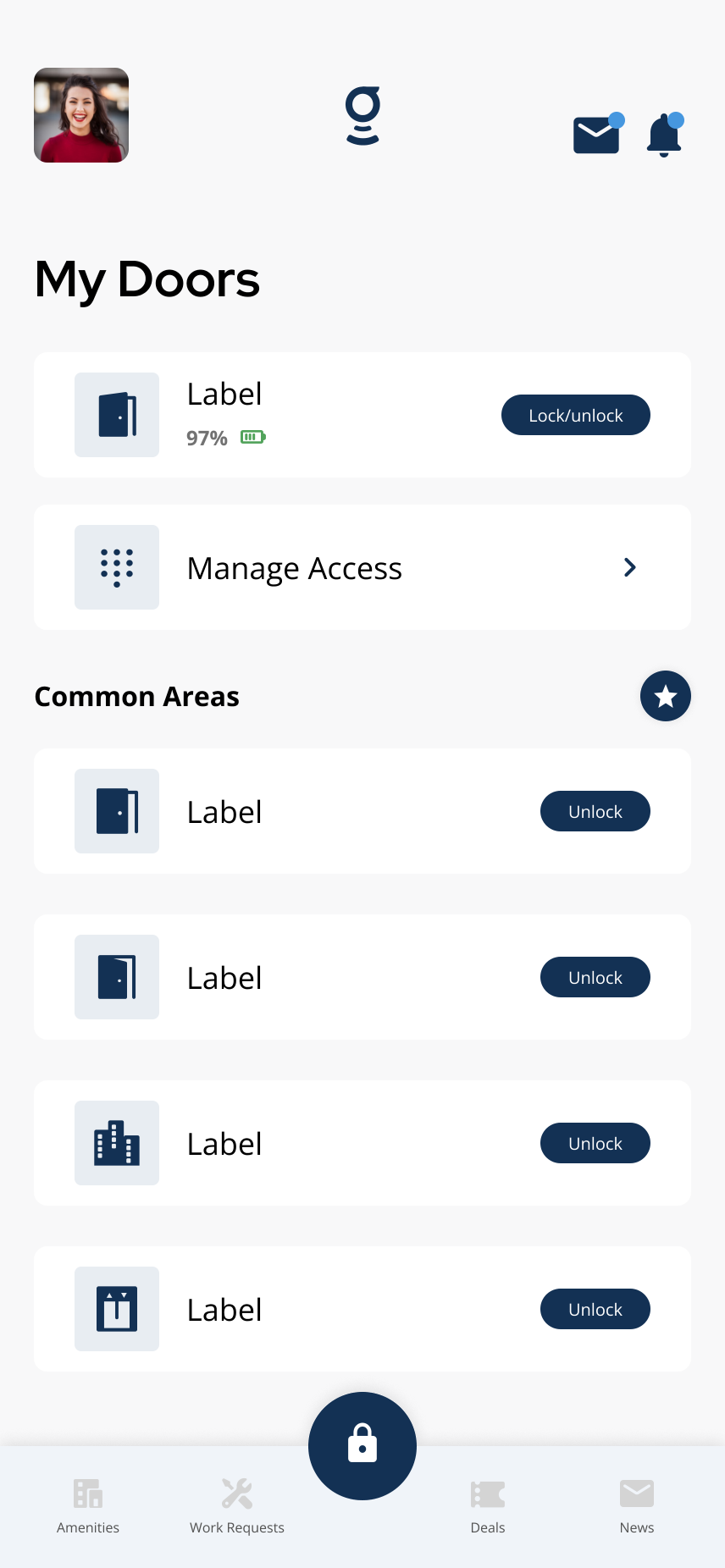
Common area doors appear in **Common Areas** on the home screen.
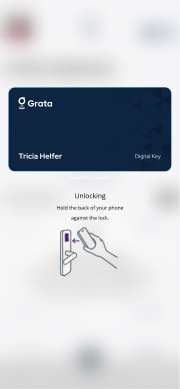
Hold your phone near the lock or reader when the app prompts you to move closer.
Related articles
Lock or Unlock Door with a PIN Code
1 min read
Unlock your door with your PIN when your phone isn't an option — wake the keypad, enter your code, press #, an...
Lock or Unlock a Door with the Grata App
1 min read
Use this guide to lock or unlock doors and confirm access status.
Who Controls My Access?
3 min read
Property management controls your access permissions — Grata reflects the building setup; contact your buildin...
Bluetooth / Range Troubleshooting
1 min read
If mobile unlock is inconsistent, the issue is often Bluetooth, phone permissions, distance from the lock or r...
What If My App Is Not Unlocking My Door?
1 min read
If the Grata Smart Living app is not unlocking your door, work through Bluetooth, permissions, connectivity, p...
Why Can't I Connect To My Lock?
4 min read
If the app cannot reach your lock, check Bluetooth, permissions, range, account access, and lock battery — the...
Does Bluetooth Always Need to Be On?
2 min read
Bluetooth does not need to be on for every app feature, but may need to be on for nearby door unlock — here's...
Use Digital Key Offline
1 min read
Use this guide to unlock with Digital Key when your phone loses internet in the Grata Smart Living app. Digita...