
Use Digital Key Offline
Section: Doors & AccessCategory: FaqGuide1 min read
Summary
This article explains how Digital Key may work when your phone has limited or no internet connection.
Offline access is not guaranteed. It requires that you were already signed in, that access permissions were previously synced to your device, and that Bluetooth remains available. Some features always require an internet connection and will not work while offline.
Offline behaviour may vary by building, lock model, resident permissions, and access hardware. Property management controls resident access permissions and approved backup access methods.
What offline access means▾
- Offline Digital Key relies on an access credential that was already downloaded to your phone when you last had internet.
- Your phone uses Bluetooth to communicate directly with the lock or reader when offline.
- It does not mean every app feature works without internet.
- Building notices, account syncing, access permission updates, and some app features may still require internet.
- The app may display a message such as Digital Key works offline or No Internet Connection when operating offline.
- Your offline access window may have an expiry time or date shown in the app. Reconnect before it expires to refresh access.
What may still be required▾
- Bluetooth enabled — your phone must have Bluetooth turned on and working.
- Required app permissions — the Grata app must have Bluetooth or Nearby devices permission enabled.
- Physical proximity — you must be close to the lock or reader for Bluetooth to connect.
- An active access record — the access credential must have been previously synced to your device while connected.
- Enough phone battery — Bluetooth and the app must be able to stay active.
- A compatible lock or access point — offline credential caching depends on building hardware and lock model.
Before relying on offline access▾
- Test Digital Key access while you still have internet — do not wait until you are offline to discover whether it works.
- Note the expiry time if the app shows one. Reconnect before the offline access window closes if you rely on Digital Key regularly.
- Keep an approved backup method available where your building provides one, such as a keypad PIN, fob, physical key, front desk, or your building's lockout process.
- Do not assume offline access works at every door — availability depends on building hardware and lock model.
- Do not assume offline access works if you recently reinstalled the app, switched devices, or were signed out.
If offline access does not work▾
- Turn Bluetooth off and back on, wait a few seconds, and retry.
- Confirm the Grata app has Bluetooth or Nearby devices permissions enabled on your phone.
- Stand closer to the lock or reader.
- Fully close and reopen the Grata app.
- Reconnect to Wi-Fi or cellular, let the Digital Key refresh, then retry near the door.
- Try an approved backup method if available — keypad PIN, fob, physical key, front desk, or building security.
- Contact property management if Digital Key never works offline after following these steps, if offline access expires immediately rather than at the app-shown time, or if you need to confirm access permissions and building setup.
Important Notes
- Offline Digital Key relies on an access credential that was already downloaded to your phone when you last had internet.
- An active access record — the access credential must have been previously synced to your device while connected.
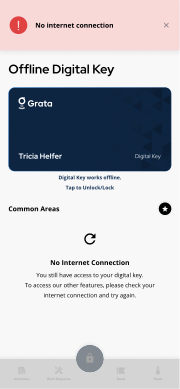
The app may show offline messaging when the network is unavailable.
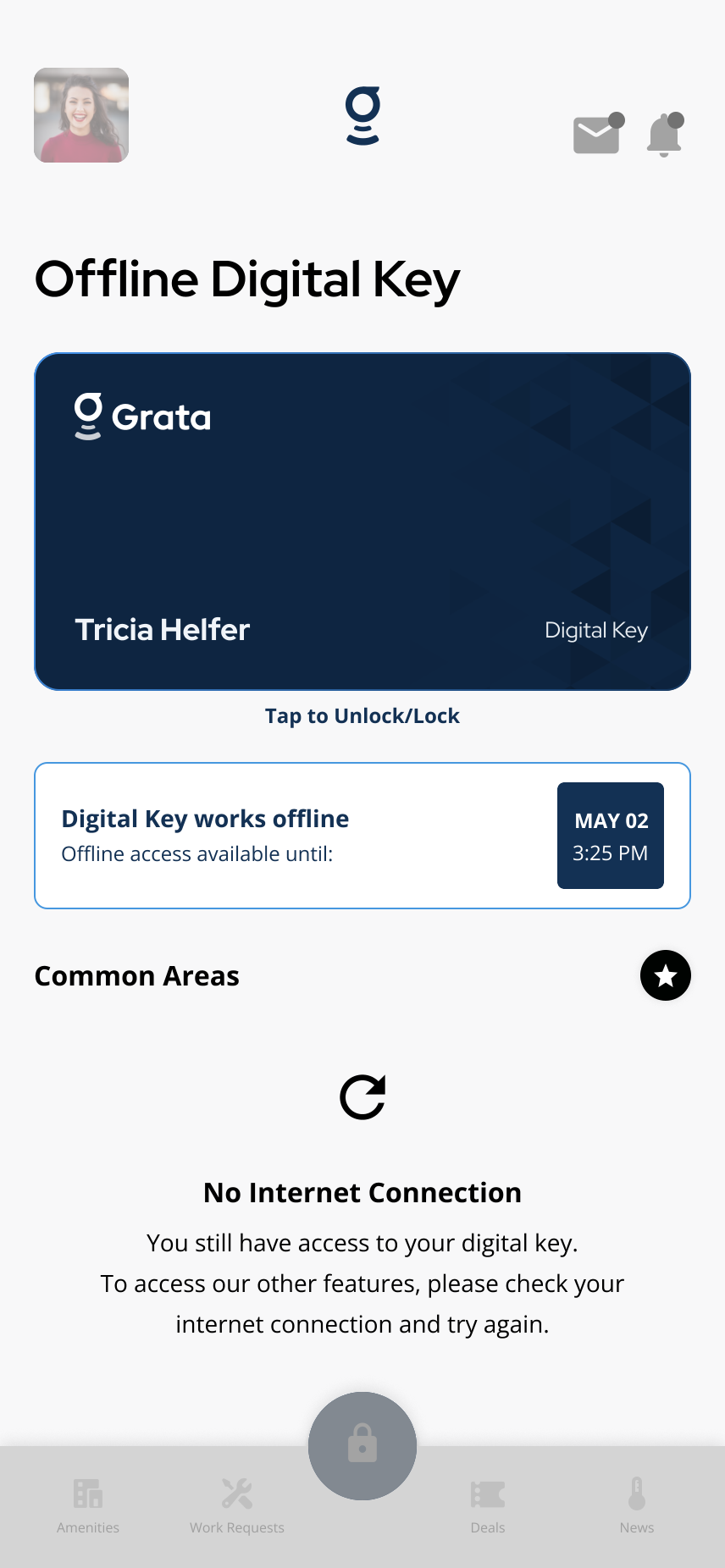
Example offline access timing — your dates and wording may differ.
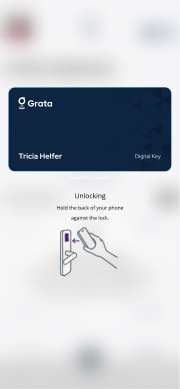
Proximity is still required for offline unlock — hold near the lock or reader when prompted.
Related articles
Lock or Unlock a Door with the Grata App
1 min read
Use this guide to lock or unlock doors and confirm access status.
Door Access FAQ
2 min read
Digital Key, offline unlock, PINs, intercom/common doors, Bluetooth issues, lock battery, and access recovery...
Digital Key Overview
4 min read
For **Digital Key** and reader-based unlocks, stand near the door or reader when prompted—**Digital Key** may...
Bluetooth Not Working
1 min read
Use this guide to complete resident tasks in the Grata app.