
Work Request Statuses
Summary
Open▾
- The request has been submitted and is active in your building's workflow.
- Property management or the maintenance team may still be reviewing or triaging it.
- You usually do not need to take action unless the team asks for more details.
- Wait for the property team to review, assign, or respond.
Pending▾
- The request is waiting on building-side action.
- Your property team may be reviewing, scheduling service, ordering parts, coordinating a vendor, or preparing an assignment.
- The status may stay the same for a while while work is being organized.
- Check Details or request chat for updates if available.
Info▾
- Additional information or action may be needed from you.
- Your building team may be waiting for clarification, photos, access instructions, or another detail about the issue.
- Open Details or request chat to read the message and respond if you can.
- Providing the requested information helps the team move the request forward.
In Progress▾
- The request is being worked on or has been assigned.
- Maintenance or property management may be investigating, scheduling a visit, or completing the repair.
- Timing depends on building workflow, unit access, parts, vendor availability, and priority.
- Some buildings use Pending or other labels for similar stages instead of In Progress.
Complete▾
- The work has been marked complete by the property or maintenance team.
- Review the request Details or any final notes if your building provides them.
- If the issue is not resolved, follow your building's process for follow-up or submit a new request if needed.
Closed▾
- The request has been closed in your building's workflow.
- A closed request may no longer be actively worked on.
- If the issue returns or was not resolved, you may need to submit a new request or follow up through the process your building provides.
Cancelled▾
- The request was cancelled and is no longer active.
- This may happen if the request was duplicated, submitted by mistake, no longer needed, or cancelled by you or the property team depending on building rules.
- See Close or Cancel a Service Request if you need to cancel a request yourself.
What to do if a status does not change▾
- Some requests may stay in the same status while the property team reviews, schedules, orders parts, or coordinates access.
- Open Details and check chat or comments for updates if your building enables them.
- Make sure any requested access information or details have been provided.
- If the issue is urgent, follow your building's urgent maintenance or emergency process.
- For non-urgent requests, property management controls timing, prioritization, and completion updates.
Why statuses may vary by building▾
- Different properties use different maintenance workflows and status labels.
- Some buildings show fewer statuses; others may include labels such as In Progress, Submitted, or New.
- Status updates may depend on manual actions by property management or the maintenance team.
- The Grata app displays the work request workflow configured for your building—not every property uses the same names or steps.
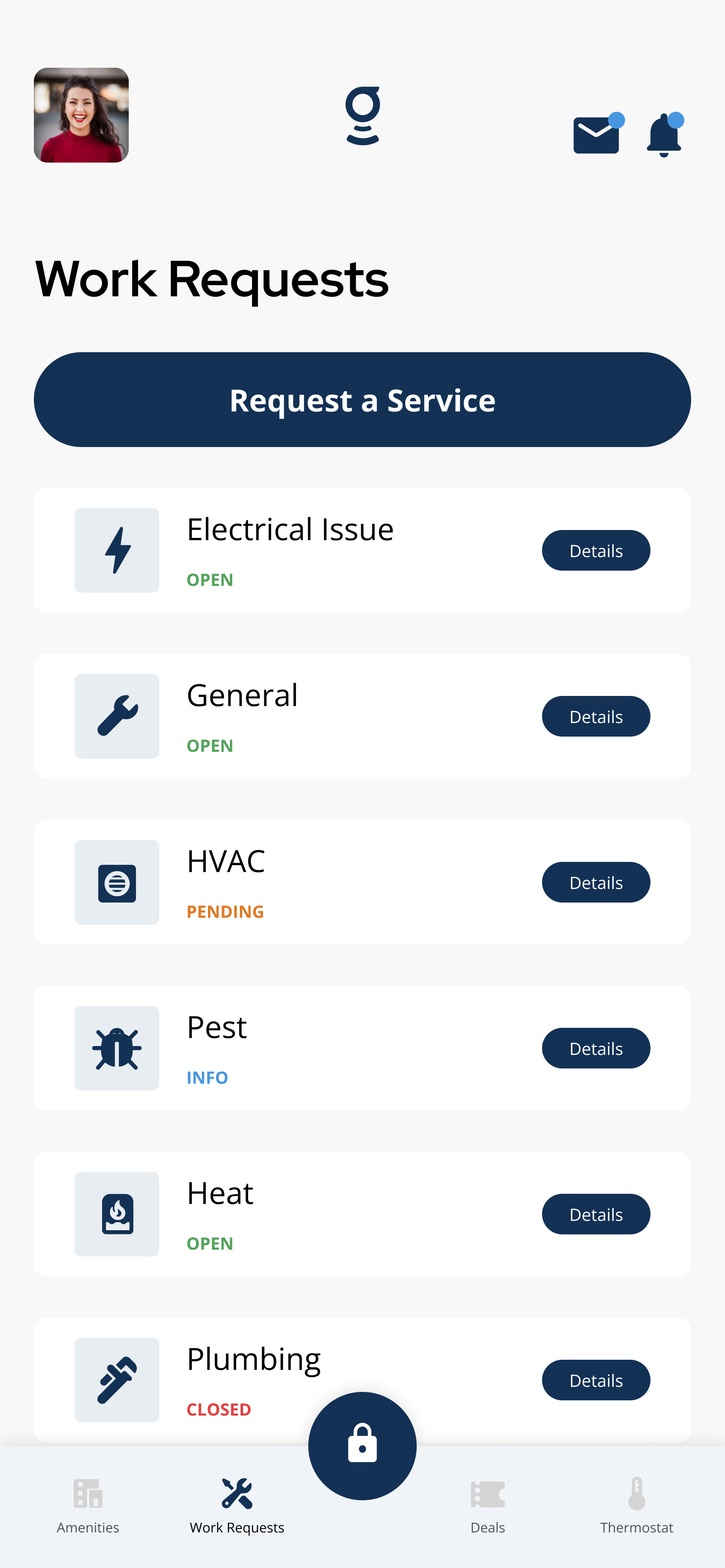
Open **Work Requests > My Tickets** to see request status labels.
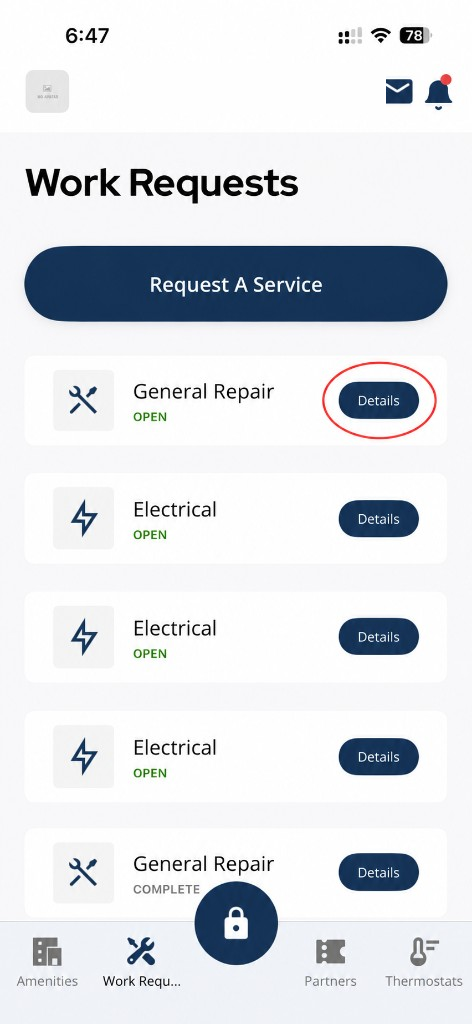
Tap **Details** to review the status and request activity.
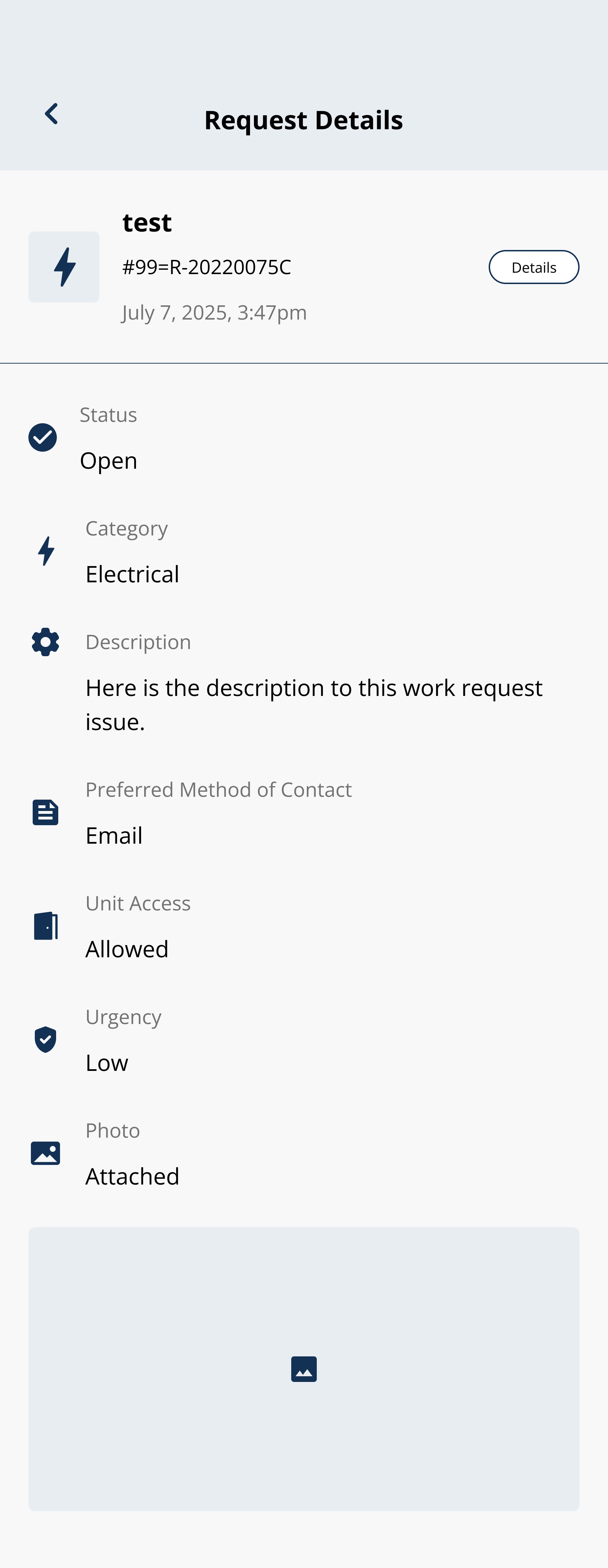
Open Details to view status, request fields, updates, and activity.
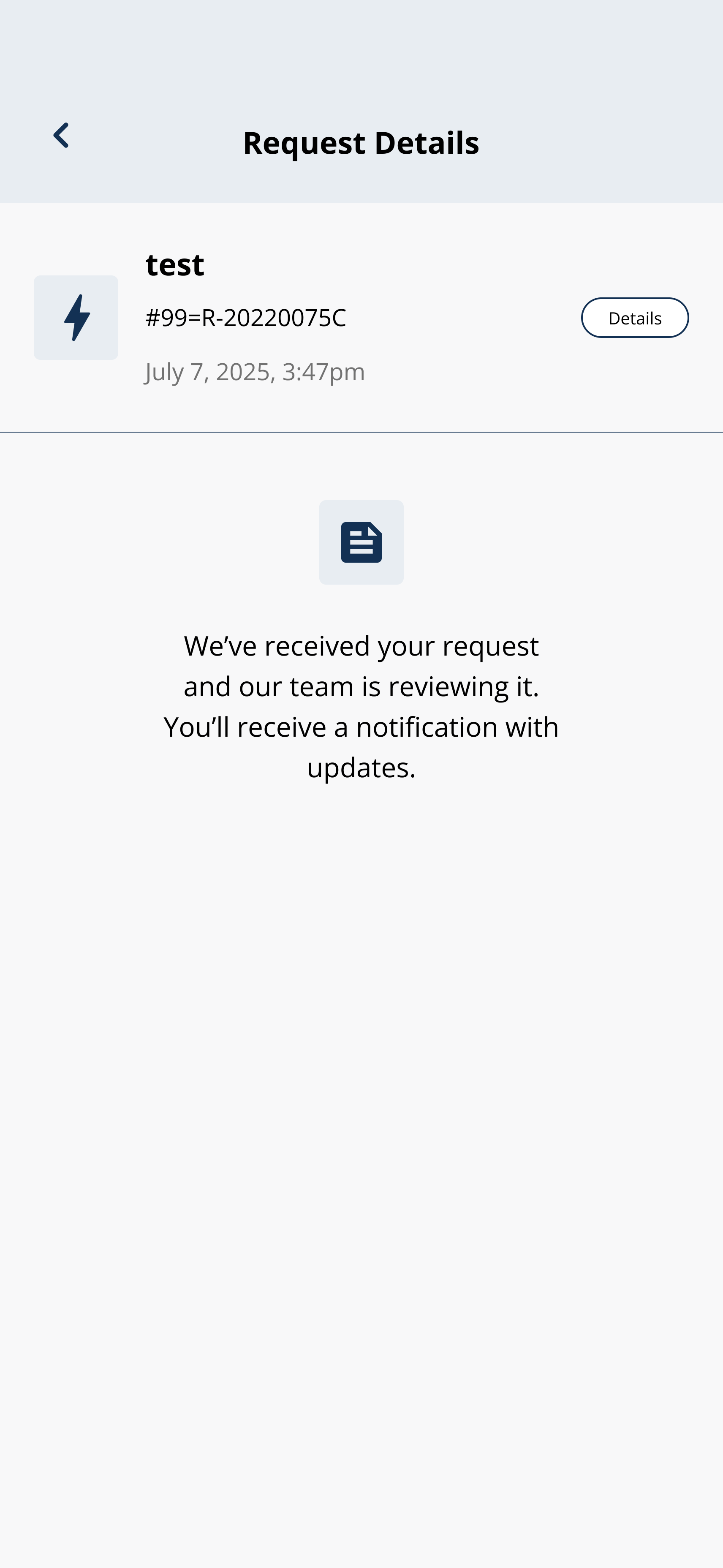
Some requests show a received or reviewing message while the property team reviews the ticket.
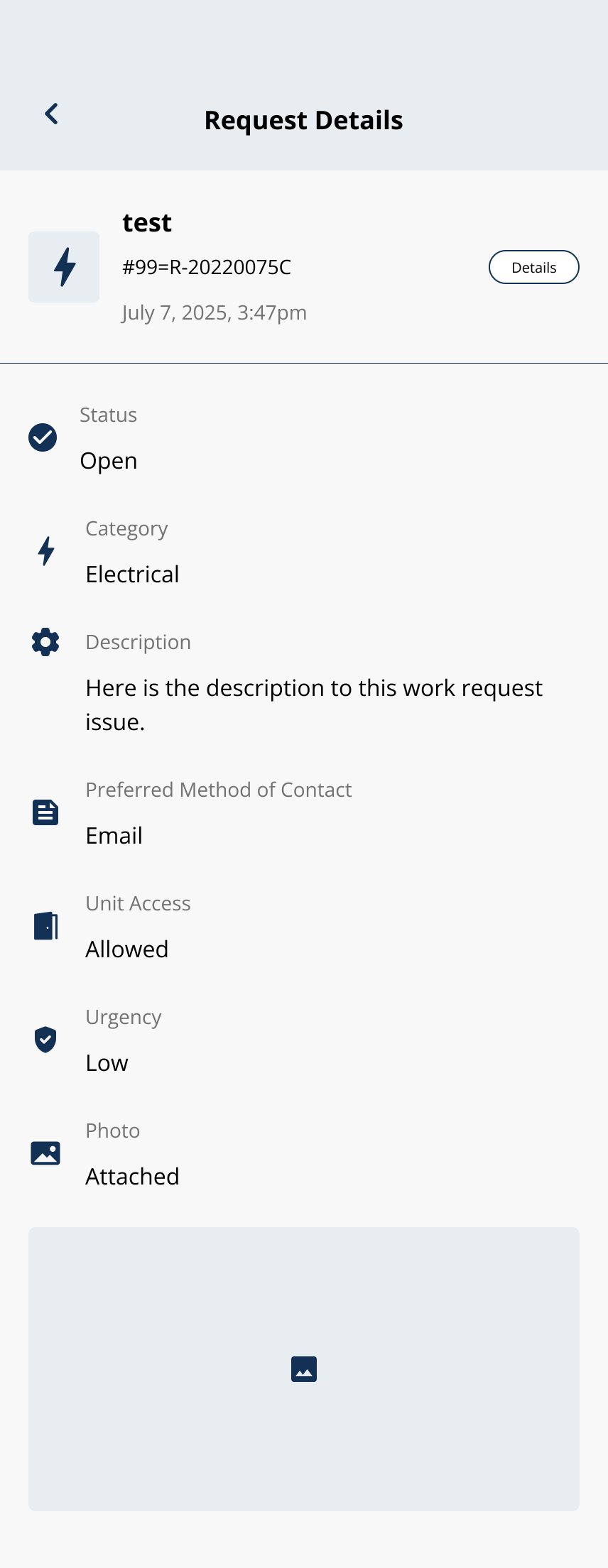
Open Details to view updates, messages, and request activity.
Related articles
Work Request Details and Chat
1 min read
View work request details, status updates, and chat messages in the Grata app when your building enables them.
Close or Cancel a Service Request
1 min read
Mark a maintenance request as resolved or cancel one you no longer need — both happen from inside the request...
I Cannot Submit a Service Request
1 min read
Request won't submit? Open Work Requests, tap Request A Service, fill required fields, check connectivity, res...
Create a Work Request
2 min read
Create a work request in the Grata app—choose a category, describe the issue, add photos or access notes if ne...
What Grata does and does not control
2 min read
Use this guide to complete resident tasks in the Grata app.