
View Deliveries in the Grata App
Summary
When Deliveries Helps
- You want to see packages that still need action or pickup.
- You want to review completed packages.
- You received a package notification and need next steps.
Step-by-Step Instructions
1Step 1: Start from the Grata Smart Living home screen
- From the Grata Smart Living home screen, tap the top-left icon.
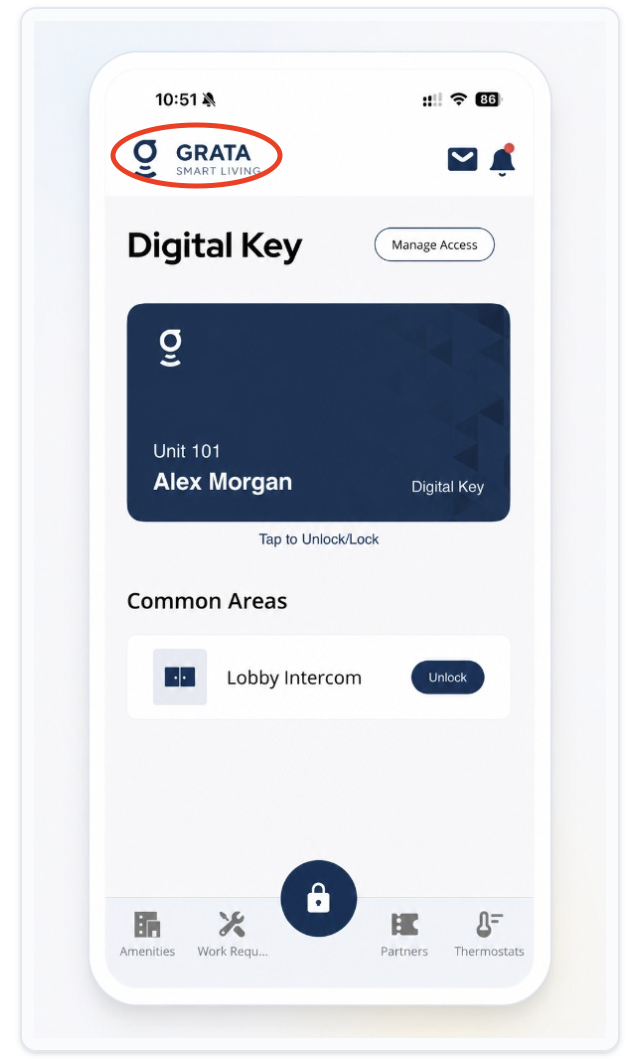
From the Grata Smart Living home screen, tap the top-left icon.
2Step 2: Open Deliveries from the Profile menu
- On the Profile screen, tap Deliveries.
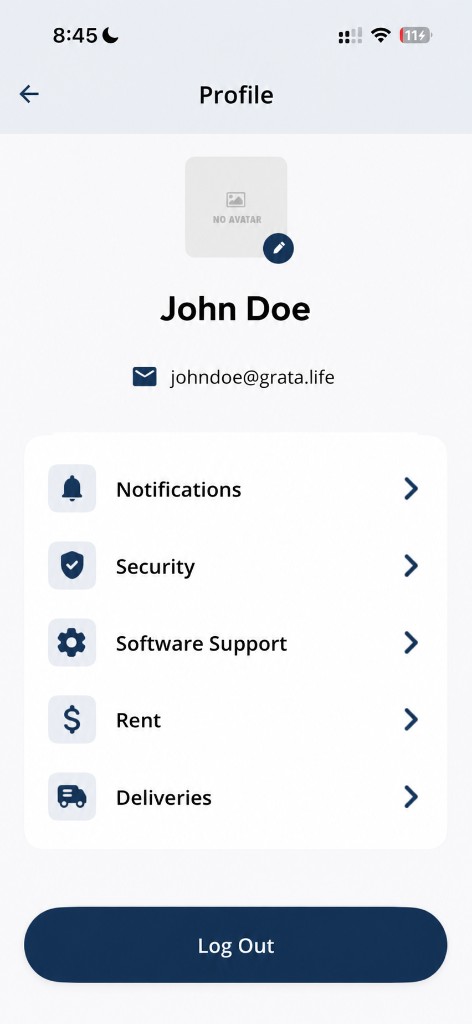
Tap Deliveries from the Profile screen.
3Step 3: Review your packages and details
- On the Your Packages screen, use Open and Closed to switch lists.
- Tap View Details on a package when you need carrier, timing, unit, description, status, or Delivery Code.
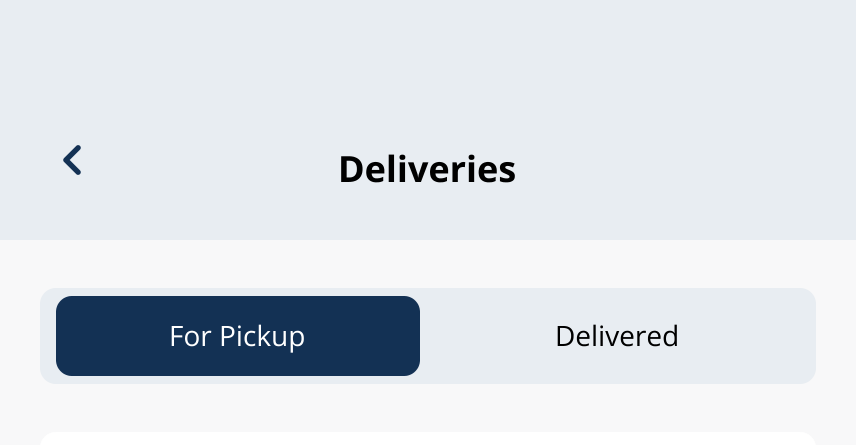
Your Packages shows Open and Closed lists when your building enables package tracking.
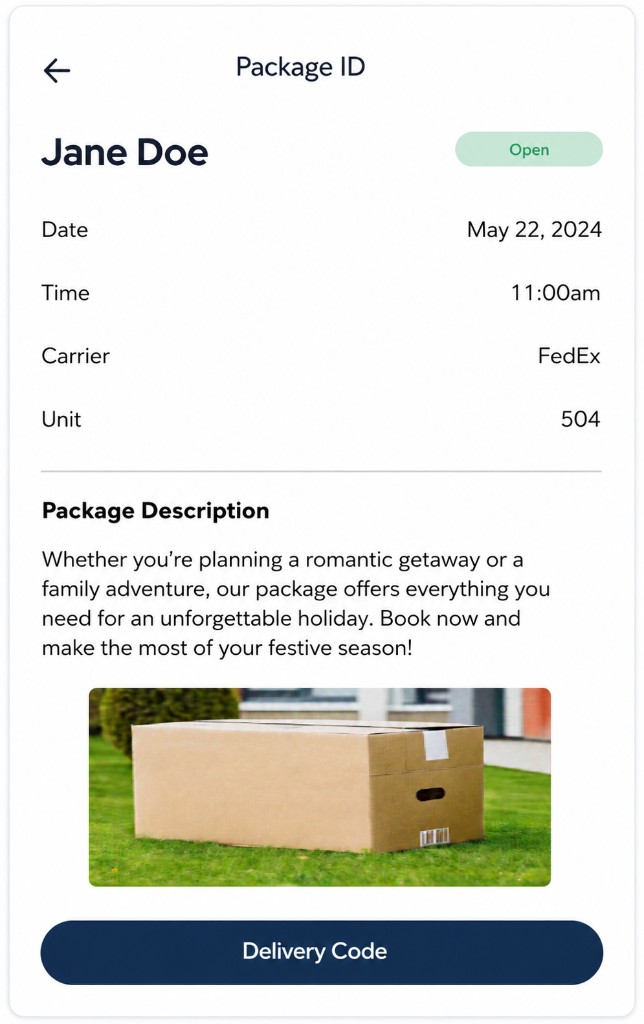
Example package details screen in the Grata app.
Open vs Closed
- Open means the package is still active—it may be waiting for pickup or still needs another step.
- Closed means the package was picked up or the building marked it complete.
Package arrived notifications
- Some buildings show a package arrived notice on the home screen.
- Read the message, then follow the steps above to open Deliveries when you are ready to collect the package.
Pickup codes
- For entering or presenting a pickup code, use Use a Delivery Pickup Code.
If Deliveries is missing
- Deliveries is missing when your building said it would be available.
- A package is missing, shows the wrong status, or lists the wrong unit.
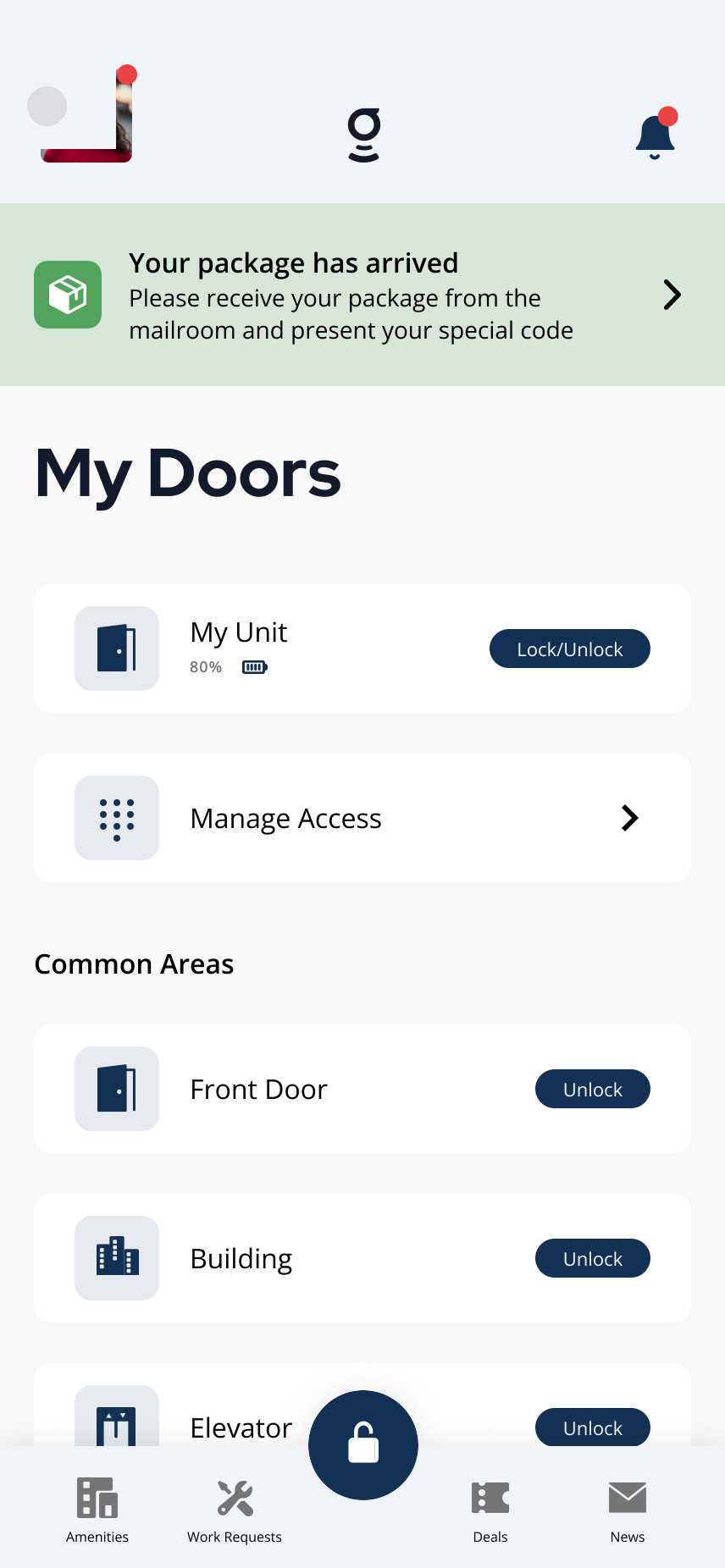
Example package-arrived notification on the Grata Smart Living home screen.
Related articles
Delivery Overview
2 min read
Track Open and Closed packages, pickup codes, and delivery settings when your building enables Grata deliverie...
Package Arrived Notification in the Grata App
1 min read
From the home screen, read a package-arrived notice if shown, then Profile > Deliveries and open the package f...
Confirm Package Pickup in the Grata App
1 min read
Home → Profile > Deliveries → package details: review Package Ready for Pickup, then tap Confirm Pickup only a...
Open vs Closed Delivery Status
1 min read
Home → Profile > Deliveries: use Open and Closed on Your Packages—Open still needs action; Closed is complete.