
View EV Chargers in the Grata App
Section: Resident Services & IntegrationsCategory: EV ChargingHow-to1 min read
Summary
If your building has EV charging enabled in Grata, you may be able to view available chargers, rates, minimum time, and charger IDs from the EV Charger area in Profile. Use this article when your building has EV chargers and you want to see charger information in the app, check the rate or minimum session time, or identify a specific charger.
Step-by-Step Instructions
1Step 1: Open the Grata app.
- Open the Grata app.
- From the Grata Smart Living home screen, tap the top-left icon.
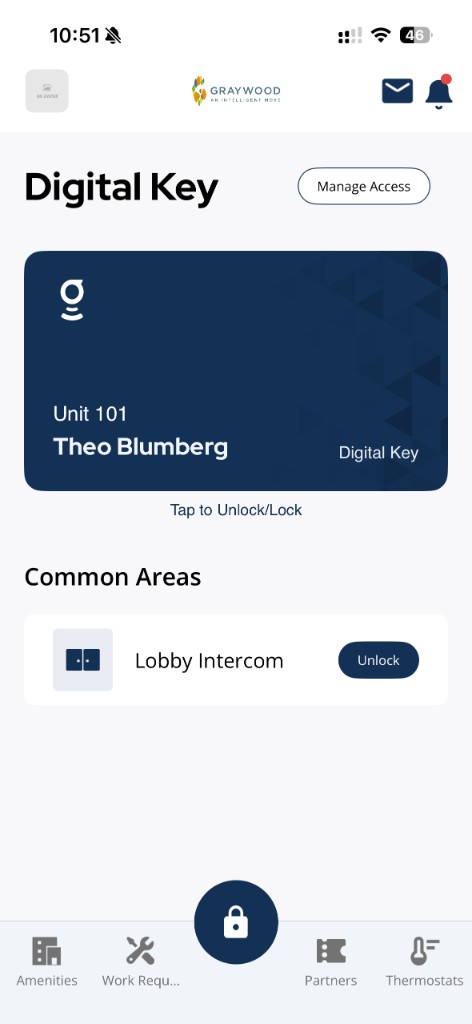
From the Grata Smart Living home screen, tap the top-left icon to open Profile.
2Step 2: Open EV Charger
- Tap EV Charger if shown.
3Step 3: Review charger information
- Check the listed rate if shown.
- Check the minimum time if shown.
- Review available charger names or IDs.
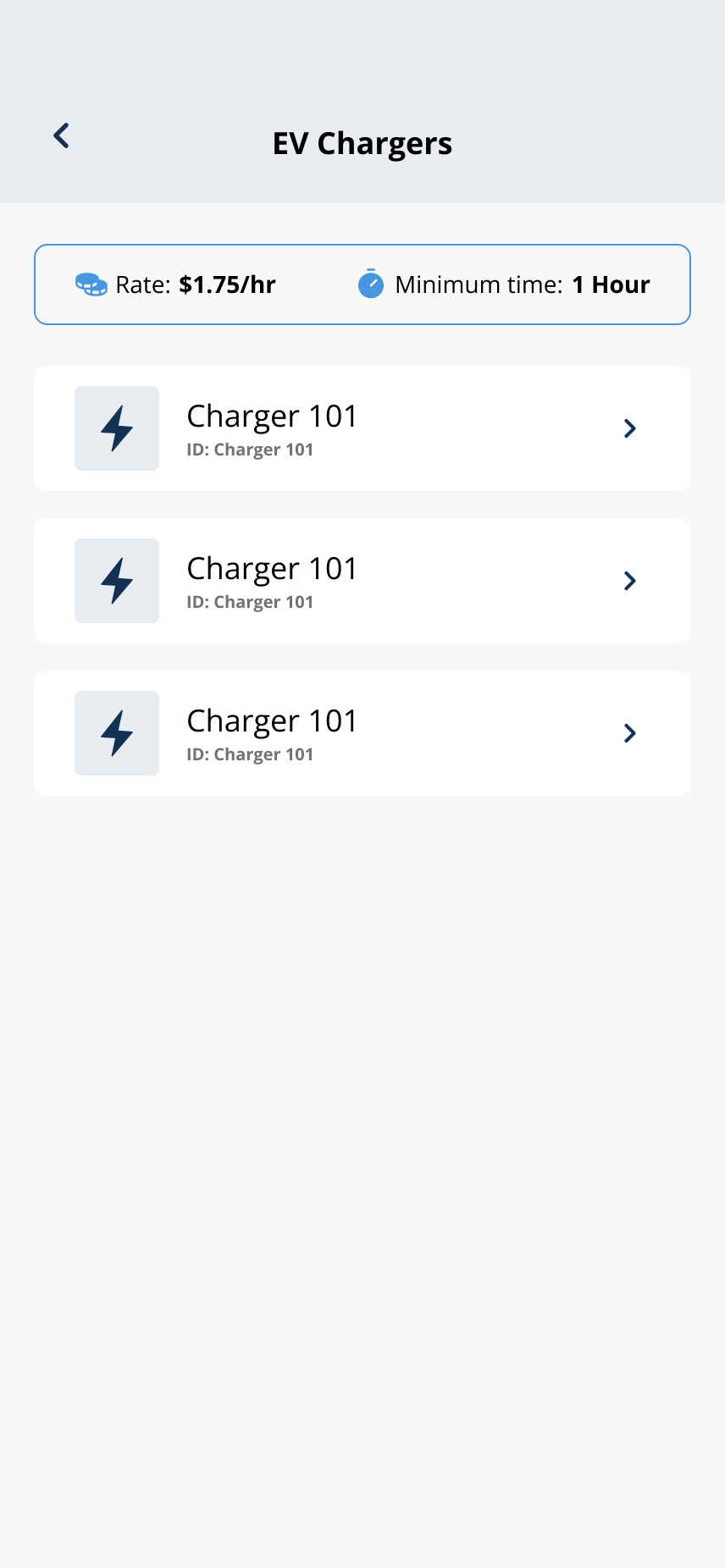
EV charger details, rates, and minimum times depend on your building—screenshots are examples only.
4Step 4: Follow your building’s charging process
- Use the charger information shown in the app.
- Follow posted building instructions for starting or ending a session.
- EV Charger may not appear in every building.
- Rates, minimum times, and charger IDs vary by property.
- Do not use example rates or charger IDs from screenshots as real values.
- Charger availability and usage rules depend on your building.
If EV Charger is missing or incorrect
- EV Charger is missing when your building said charging is available.
- Charger information looks wrong.
- The listed charger is not available.
- You need help starting or ending a charging session.