
Change Your Suite Lock PIN Code as a Co-Resident
Section: Doors & AccessCategory: Manage AccessHow-to1 min read
Summary
Whether a co-resident can change a suite lock PIN depends on the building configuration, lock model, and how property management has set up co-resident access permissions.
In some buildings, co-residents have the same PIN management options as the primary resident. In others, co-residents may have a separate resident PIN but limited ability to change it directly, or PIN management may need to be handled by the primary resident or property management.
If you are a co-resident and cannot find a PIN change option in Manage Access, contact your building team. Property management controls access permissions and can confirm what PIN options are available for co-residents in your building.
When to contact property management
- My PIN is missing from Manage Access and you believe you should have one.
- You have a PIN but cannot find an option to change it.
- Your PIN does not match what you expect and you need it corrected.
- You recently moved in as a co-resident and access has not been fully set up yet.
Step-by-Step Instructions
1Step 1: Start from the Grata Smart Living home screen
- Sign in to your resident account.
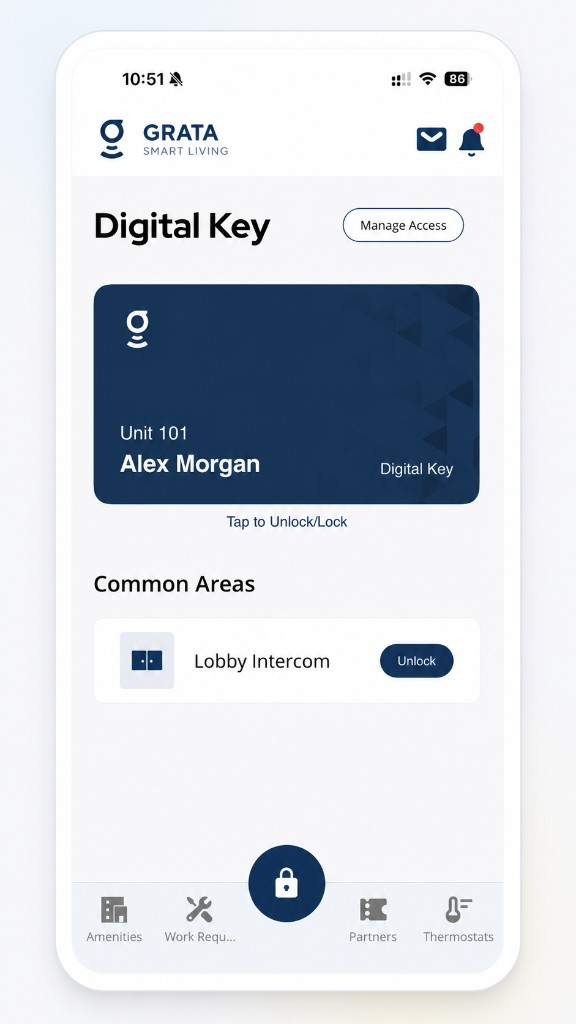
Start from the Grata Smart Living home screen.
2Step 2: Tap Manage Access
3Step 3: Tap Add Co-Resident
4Step 4: Enter the required co-resident information
5Step 5: Review the details
6Step 6: Save or submit the co-resident
Related articles
Lock or Unlock Door with a PIN Code
1 min read
Unlock your door with your PIN when your phone isn't an option — wake the keypad, enter your code, press #, an...
Change Your Suite Lock PIN Code
1 min read
Change your suite lock PIN from Manage Access in the Grata Smart Living app. You may need to stand near your u...
Add a Co-Resident in the Grata App
1 min read
Add a co-resident from Manage Access > Add Co-Resident with their contact details.
Digital Key
1 min read
Use this guide to complete resident tasks in the Grata app.
Who to contact for help
2 min read
Use this guide to complete resident tasks in the Grata app.