
Add a Co-Resident in the Grata App
Section: Doors & AccessCategory: Manage AccessHow-to1 min read
Summary
Use Manage Access > Add Co-Resident in the Grata app to give a roommate, partner, or household member ongoing access to your unit. Co-resident access is for people who live with you long-term — it is different from temporary guest access.
Available options vary by building. Some buildings let residents add co-residents directly through the app. Others require property management approval, or may not allow residents to manage co-residents at all. If Add Co-Resident does not appear in your app, contact your property management team.
Step-by-Step Instructions
1Step 1: Open Manage Access
- From the Grata Smart Living home screen, tap Manage Access, then tap Add Co-Resident.
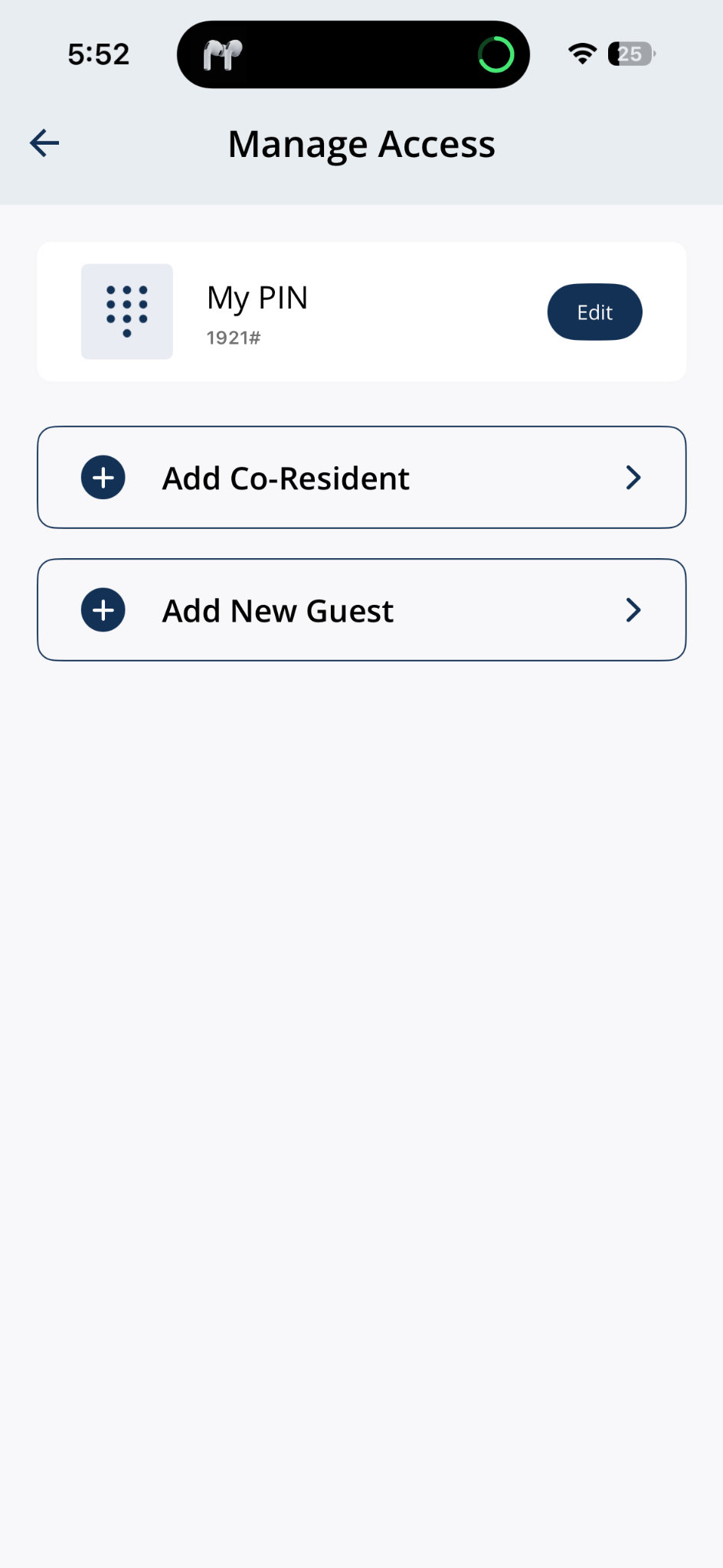
Open Manage Access and tap Add Co-Resident.
2Step 2: Enter co-resident details and confirm
- Enter First Name, Last Name, Email Address, and Phone Number, then tap Confirm.
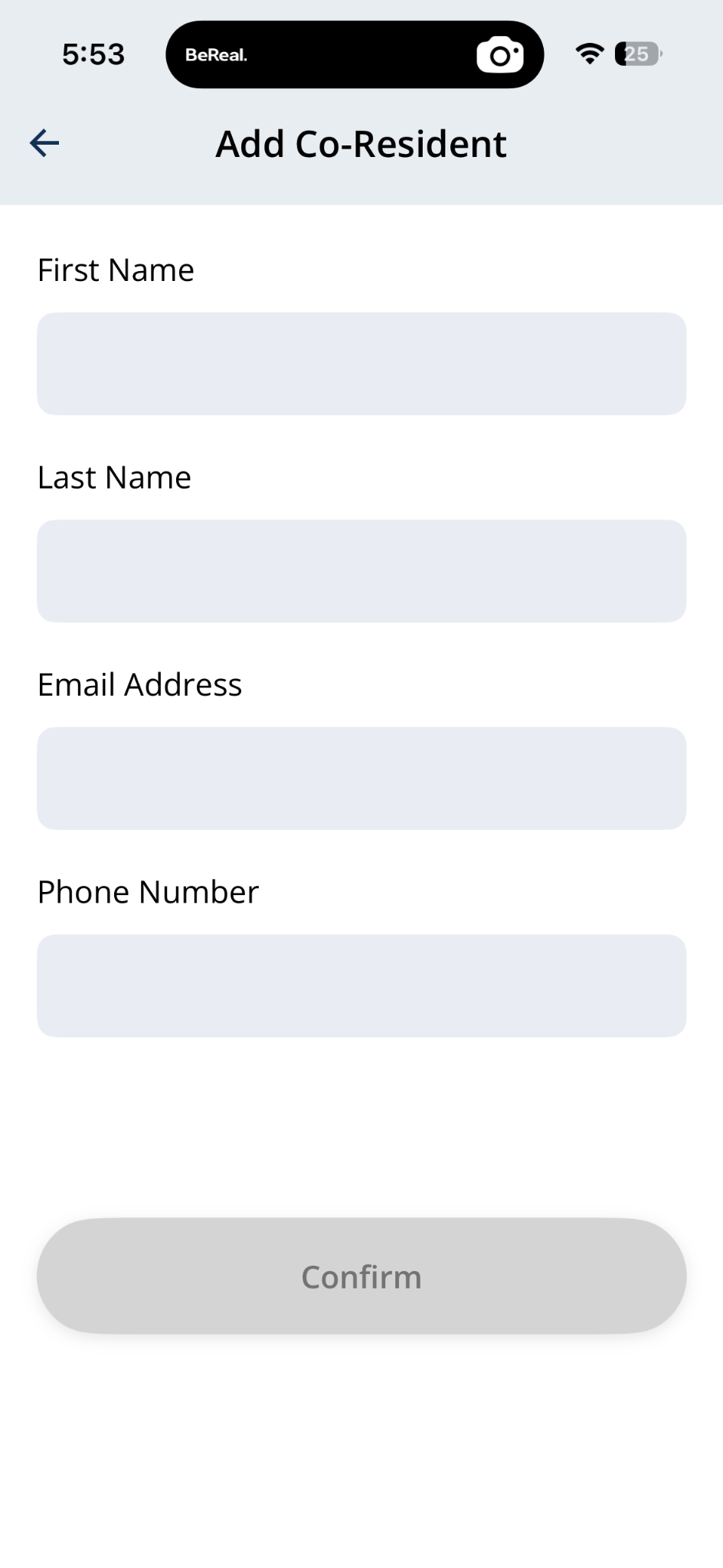
Enter the co-resident's details, then tap Confirm when the form is complete.
After setup
- When your building completes the request, Manage Access may show a Success banner and list household members under Manage Guests. The co-resident will receive an invitation to download the app and set up their own account.
Contact Your Building’s Support
- Add Co-Resident does not appear in the app.
- The co-resident's invitation does not arrive.
- The co-resident should have access but does not.
- Your building requires approval before co-residents can be added.
- The unit, resident, or access information shown in the app looks incorrect.
Related articles
Guest Access Overview
2 min read
Give visitors their own Guest PIN or Guest App access instead of sharing your personal PIN.
Add a New Guest in the Grata App
2 min read
From Manage Access, choose Guest App or Create Guest PIN when adding a new guest.
Manage Access Overview
1 min read
Manage Access is home for My PIN, Intercom PIN, co-residents, and guest invites—open the linked article for ea...
Change Your Suite Lock PIN Code as a Co-Resident
1 min read
Use this guide to set up, enter, or troubleshoot PIN-based door access.