
Passwords Do Not Match
Section: FAQ + TroubleshootingCategory: Login & PasswordGuide1 min read
Summary
If you see a Passwords do not match message, the password entered in the New Password field does not exactly match the Confirm Password field. Passwords are case-sensitive — a single extra space, capital letter, or autofill difference will cause the error.
Work through the steps below. If you are still stuck, the last section links to the reset password flow.
Re-enter both password fields▾
- Clear both the New Password and Confirm Password fields.
- Retype your chosen password in the New Password field.
- Retype the exact same password in the Confirm Password field.
Check password requirements▾
- Some fields require a minimum length, numbers, or symbols.
- Review any requirements shown on screen and make sure both fields contain the same valid password.
Type both fields manually▾
- If your phone is autofilling, type the password manually in both fields rather than pasting.
- Disable autofill temporarily if it keeps inserting a different value.
Reset your password if you are still stuck▾
- If you cannot resolve the mismatch, use the forgot password flow to set a new password.
- See Forgot my password for steps.
Important Notes
- If you see a Passwords do not match message, the password entered in the New Password field does not exactly match the Confirm Password field. Passwords are case-sensitive — a single extra space, capital letter, or autofill difference will cause the error.
- Capital letters — passwords are case-sensitive.
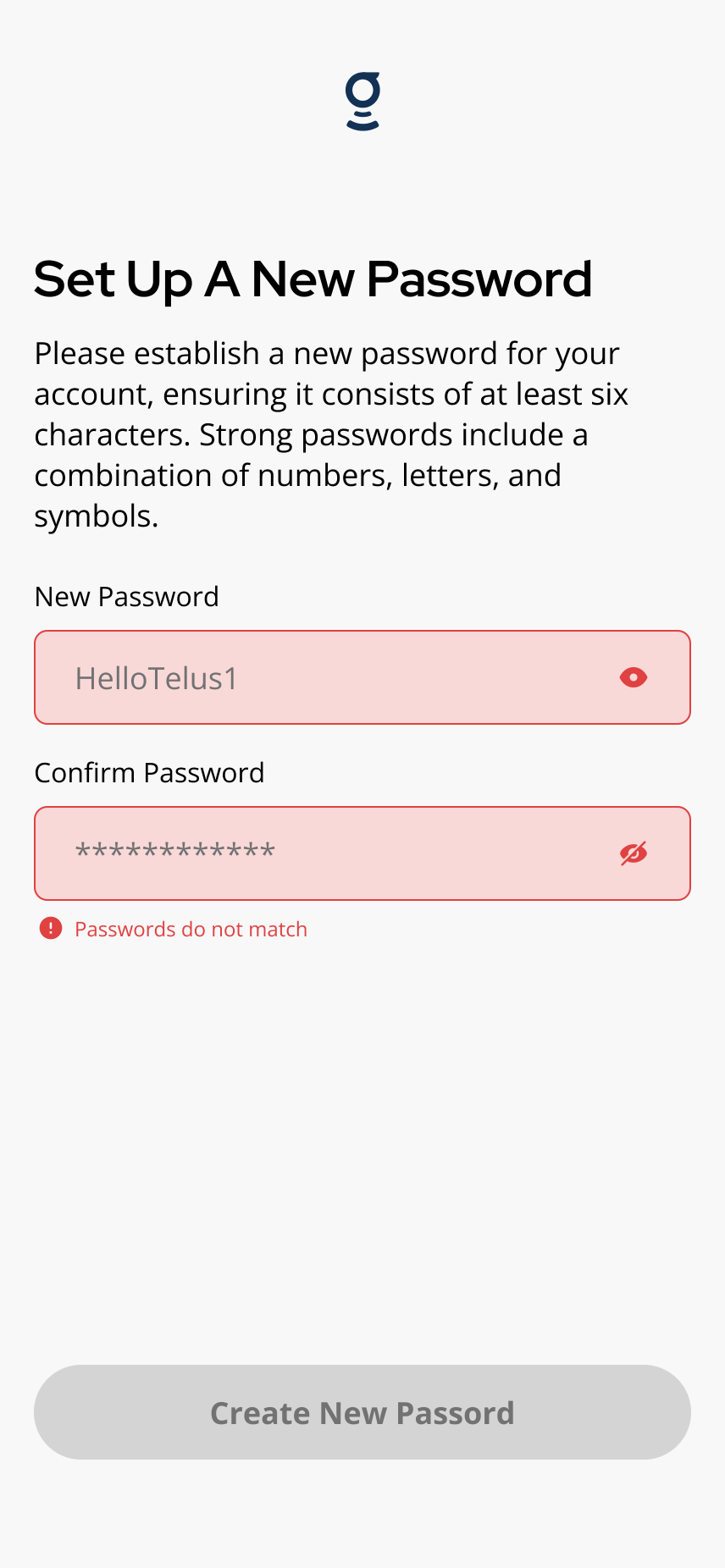
The **Passwords do not match** message appears when the two password fields are not identical.
Related articles
First-Time Resident Setup
2 min read
Set up the Grata app for the first time: use your welcome invite, sign in, create your password, confirm your...
Sign In to the Grata App
1 min read
Sign in to Grata Smart Living with the email on your building profile and your password or temporary password.
Forgot my password
1 min read
If you forgot your Grata Smart Living password, request a reset link from the login screen. Grata emails the l...
Change Your Password in the Grata App
1 min read
Change your Grata Smart Living password from your Profile settings. Open Security, choose Password, enter your...