
Browse Grata Plus Deals
Summary
Step-by-Step Instructions
1Step 1: Open the Grata app
- Open the Grata app on your phone.
2Step 2: Go to Grata Plus or the deals area
- Tap Deals, Partners, or the Grata Plus entry point your building shows, often on the bottom navigation.
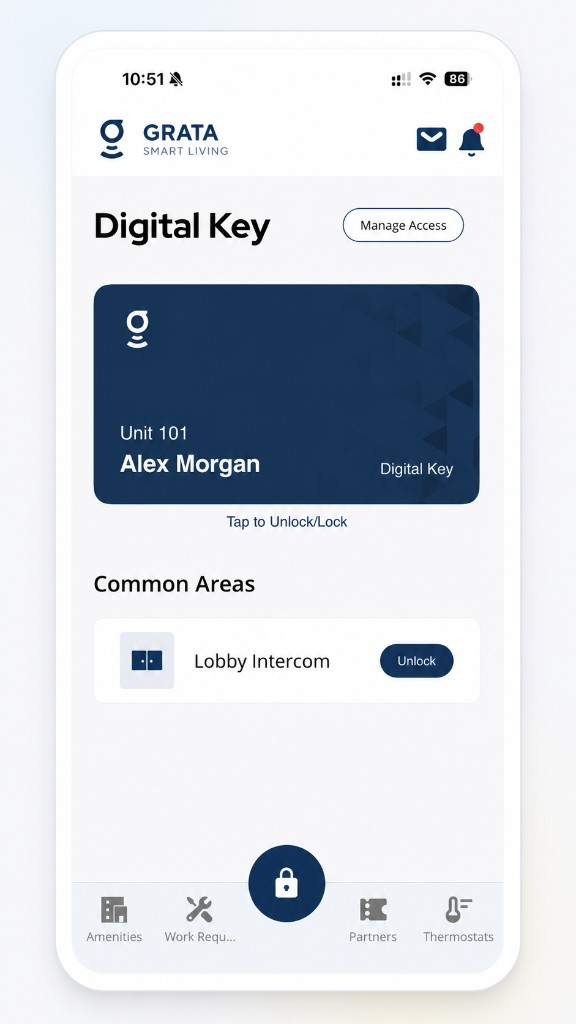
Tap Partners or Deals in the Grata app bottom navigation.
- If Deals or Partners does not appear, Grata Plus may not be enabled for your building.
3Step 3: Browse available deals or categories
- Review featured offers and the scrollable deal list.
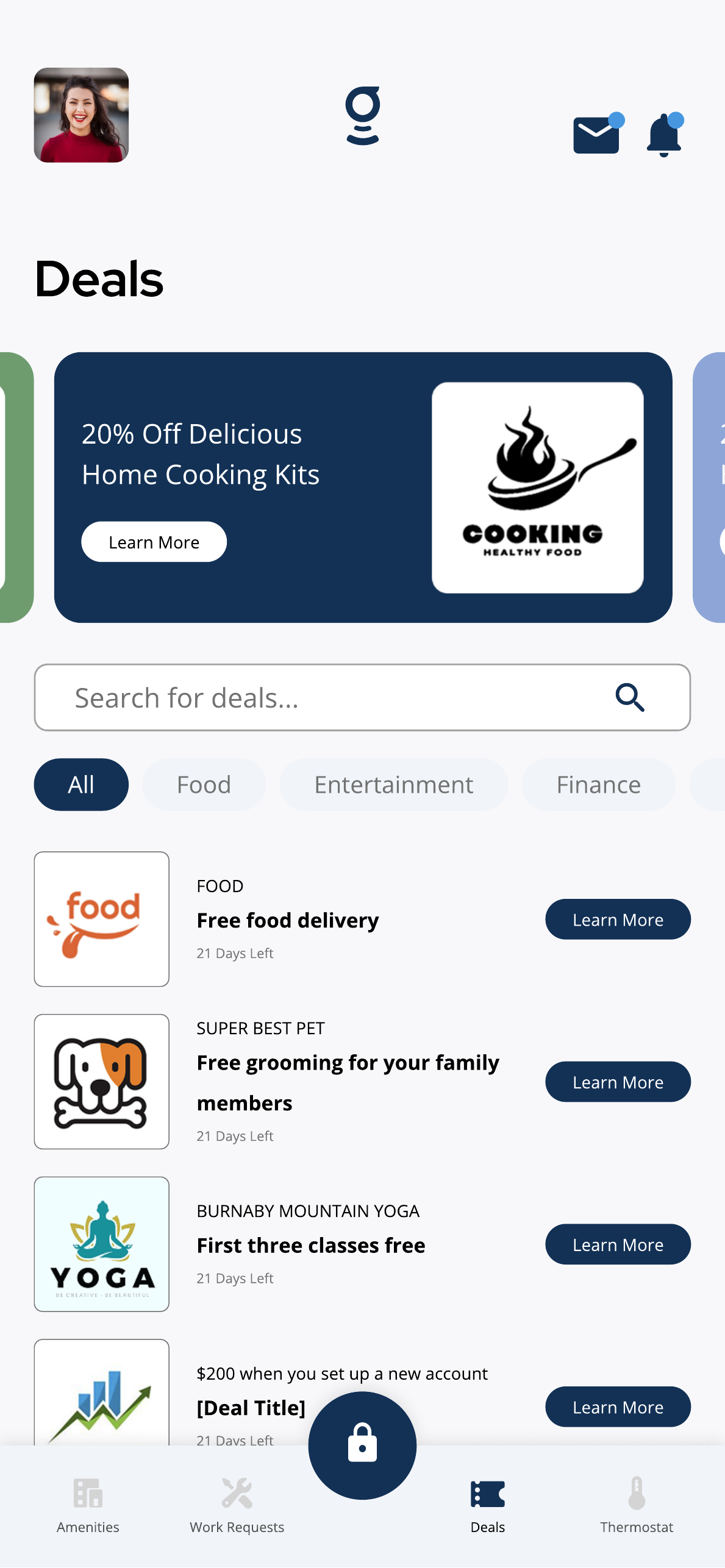
Browse available Grata Plus deals, categories, and offers in the Deals area if enabled for your building.
- Use category chips or filters if your building shows them.
4Step 4: Select a deal to view details
- Tap a deal card or Learn More to open more information.
5Step 5: Review the offer details
- Check the title, description, partner, expiry date or time-left information, and any terms shown.
- Note promo codes, location limits, or eligibility requirements before continuing.
6Step 6: Follow the deal instructions if you want to use it
- Tap Learn More, Redeem Offer, or the action button shown for that deal.
- See Redeem a Grata Plus Offer for redemption steps.
Why deals may look different▾
- Deals may vary by building, location, partner availability, resident eligibility, and current promotions.
- Some deals may expire or change over time.
- Not every building has Grata Plus enabled.
- Featured offers and list items in the app may differ from examples shown in Help Centre articles.
Before using a deal▾
- Review the deal details and terms before redeeming.
- Check expiry dates, promo codes, redemption steps, and location limits.
- Partner terms may apply outside the Grata app.
- Grata Plus deals may be updated or removed when they are no longer active.
- Use Search or Filter Grata Plus Deals if you need to narrow a long list.
Related articles
Search or Filter Grata Plus Deals
1 min read
Use Search for deals and category chips such as Food or Entertainment to narrow Grata Plus offers.
Open Grata Plus Deal Details
1 min read
Tap Learn More on a deal to review the description, expiry information, and available action button.
Redeem a Grata Plus Offer
1 min read
From deal details, tap Redeem Offer or the shown call-to-action and follow the next steps.
What is Grata and What Does It Do in My Building?
3 min read
Learn what Grata Smart Living is and how it supports resident app features, access, communication, and connect...
What Grata does and does not control
2 min read
Use this guide to complete resident tasks in the Grata app.