
Redeem a Grata Plus Offer
Summary
Step-by-Step Instructions
1Step 1: Open the Grata app
- From the Grata app, open Deals, Partners, or your Grata Plus entry point.
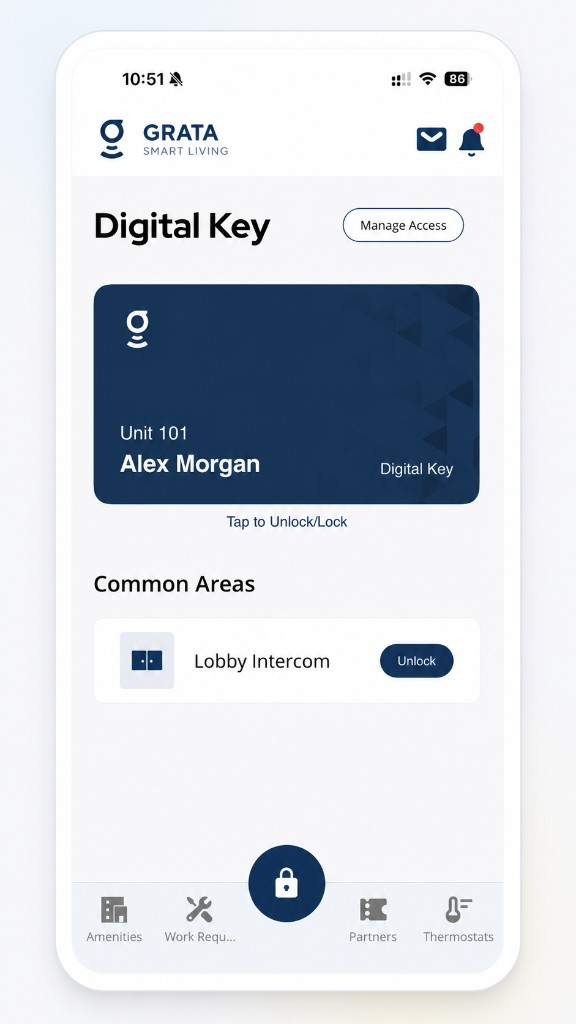
Tap Partners or Deals in the Grata app bottom navigation.
2Step 2: Select the offer
- Tap the offer you want to redeem, or tap Learn More on that row.
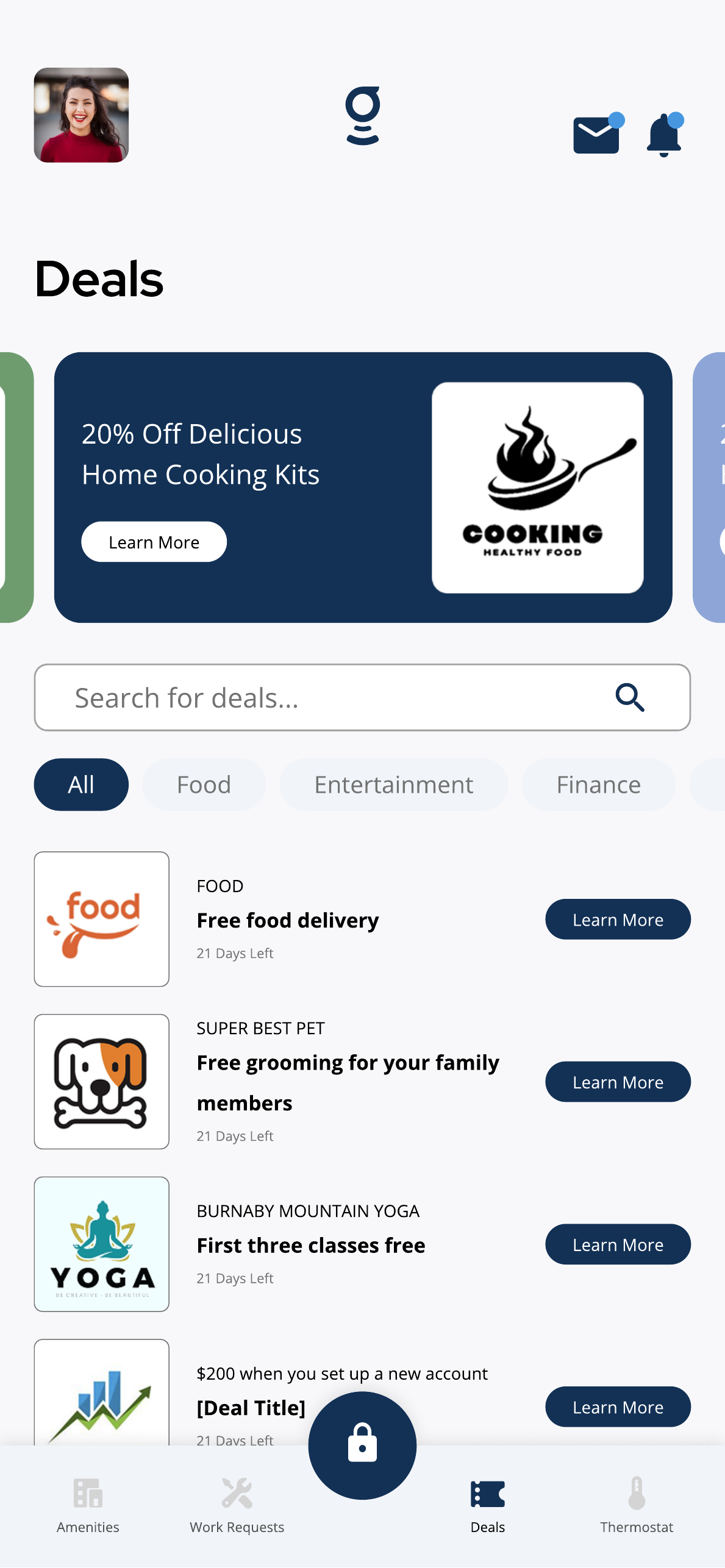
Select the Grata Plus offer you want to redeem.
3Step 3: Review the offer details
- Read the description, partner, expiry, and redemption instructions.
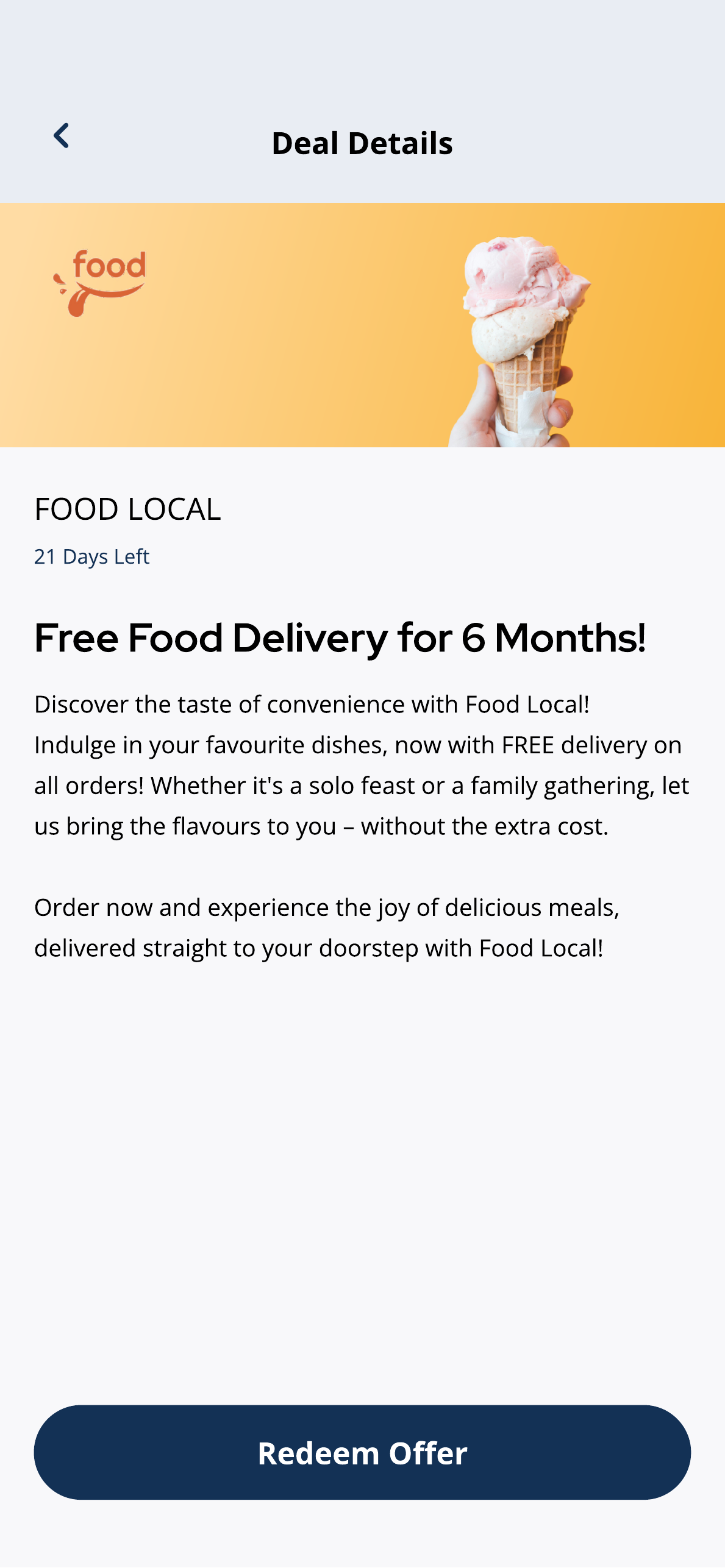
Review the deal details before selecting Redeem Offer.
4Step 4: Redeem the offer
- Tap Redeem Offer, Learn More, Open Offer, or the button your offer shows.
Select the redemption option shown for the offer after reviewing the details.
5Step 5: Follow partner instructions
- If the app opens a partner page, code, or external instructions, follow what is shown on screen.
- Redemption steps vary by offer.
- Some offers open an external partner page.
- Some offers show a code or instructions instead of an in-app flow.
- Availability depends on your building and active offers.
If redemption does not work
- The action button does not work.
- The offer appears expired but is still listed.
- You cannot complete redemption.
Related articles
Open Grata Plus Details from a News Feed Item
1 min read
Some News Feed items link to Grata Plus—open the mail icon, select the item, and tap Details on Grata Plus.
Grata Plus Overview
2 min read
Resident deals, RentCafe, EV chargers, and connected services when your property enables Grata Plus.
Browse Grata Plus Deals
1 min read
Browse Grata Plus deals in the Grata app when enabled — review offers, expiry dates, and terms before redeemin...
Open Grata Plus Deal Details
1 min read
Tap Learn More on a deal to review the description, expiry information, and available action button.