
View Open Packages in Deliveries
Summary
Step-by-Step Instructions
1Step 1: Start from the Grata Smart Living home screen
- From the Grata Smart Living home screen, tap the top-left icon.
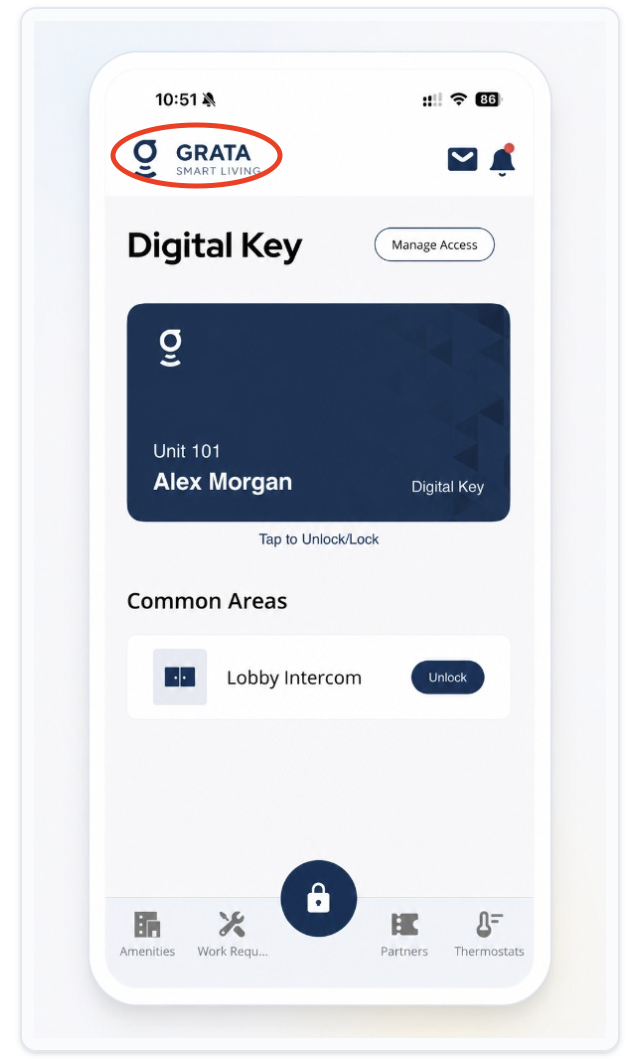
From the Grata Smart Living home screen, tap the top-left icon.
2Step 2: Open Deliveries from the Profile menu
- On the Profile screen, tap Deliveries.
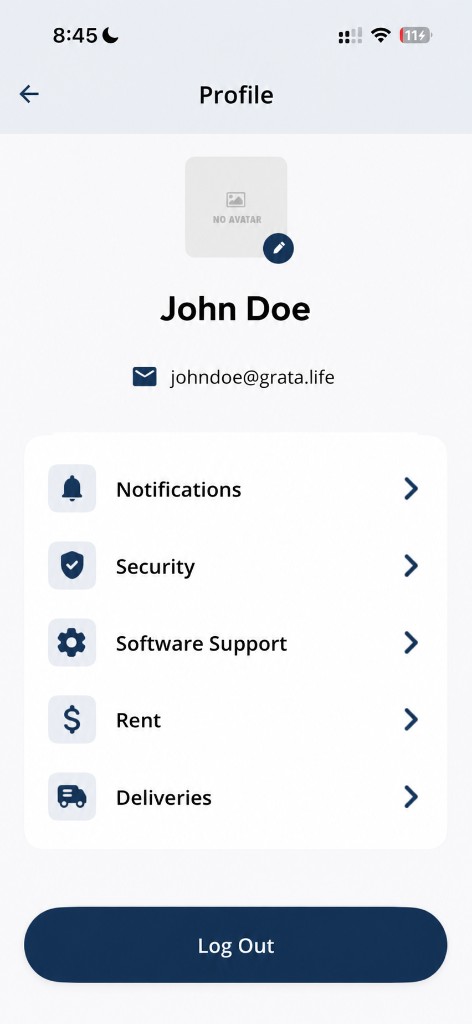
Tap Deliveries from the Profile screen.
3Step 3: Open the Open tab
- On the Your Packages screen, tap Open.
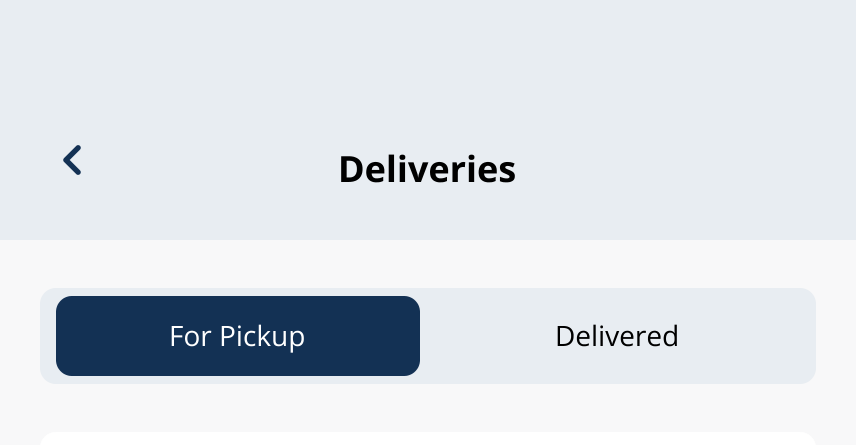
Use the Open tab for packages that still need action or pickup.
4Step 4: Review packages waiting for pickup
- Scan the list for the package you expect.
5Step 5: Open details if needed
- Tap View Details to see carrier, date, time, description, unit, and Delivery Code options.
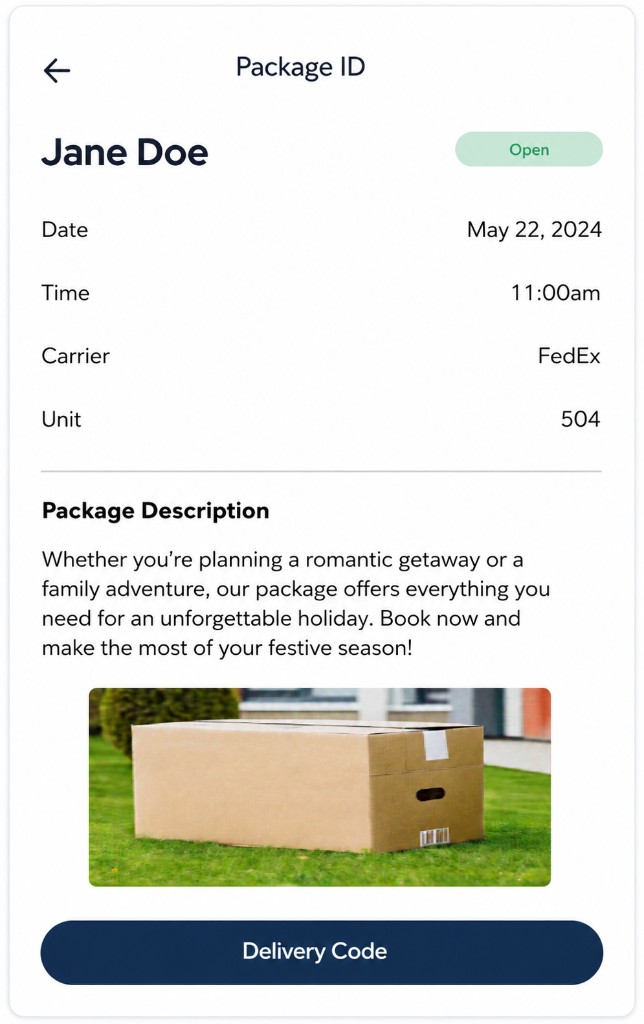
Example package details screen in the Grata app.
Related articles
Open Deliveries from Profile
1 min read
From the Grata Smart Living home screen, tap the top-left icon, then Deliveries on the Profile menu to open yo...
Delivery Overview
2 min read
Track Open and Closed packages, pickup codes, and delivery settings when your building enables Grata deliverie...
View Closed Packages in Deliveries
1 min read
Home → Profile > Deliveries, then the Closed tab: review completed packages and open details if you need histo...
Confirm Package Pickup in the Grata App
1 min read
Home → Profile > Deliveries → package details: review Package Ready for Pickup, then tap Confirm Pickup only a...