
Guest Limit Reached in the Grata App
Section: Guest AccessCategory: FaqHow-to1 min read
Summary
Some buildings limit how many guests, guest PINs, or temporary access entries can be active at one time. If you see a Reached Maximum Allowance message when tapping Add New Guest, you have reached your building's guest limit. Review Manage Guests, remove entries you no longer need, and then try again.
How guest limits work
- Limits are set by your building — they vary by property.
- A limit may apply to total guest entries, active guest PINs, temporary access invites, or some combination.
- Removing inactive or expired guests may free space for a new entry.
Step-by-Step Instructions
1Step 1: Open Manage Access
- From the Grata Smart Living home screen, tap Manage Access.
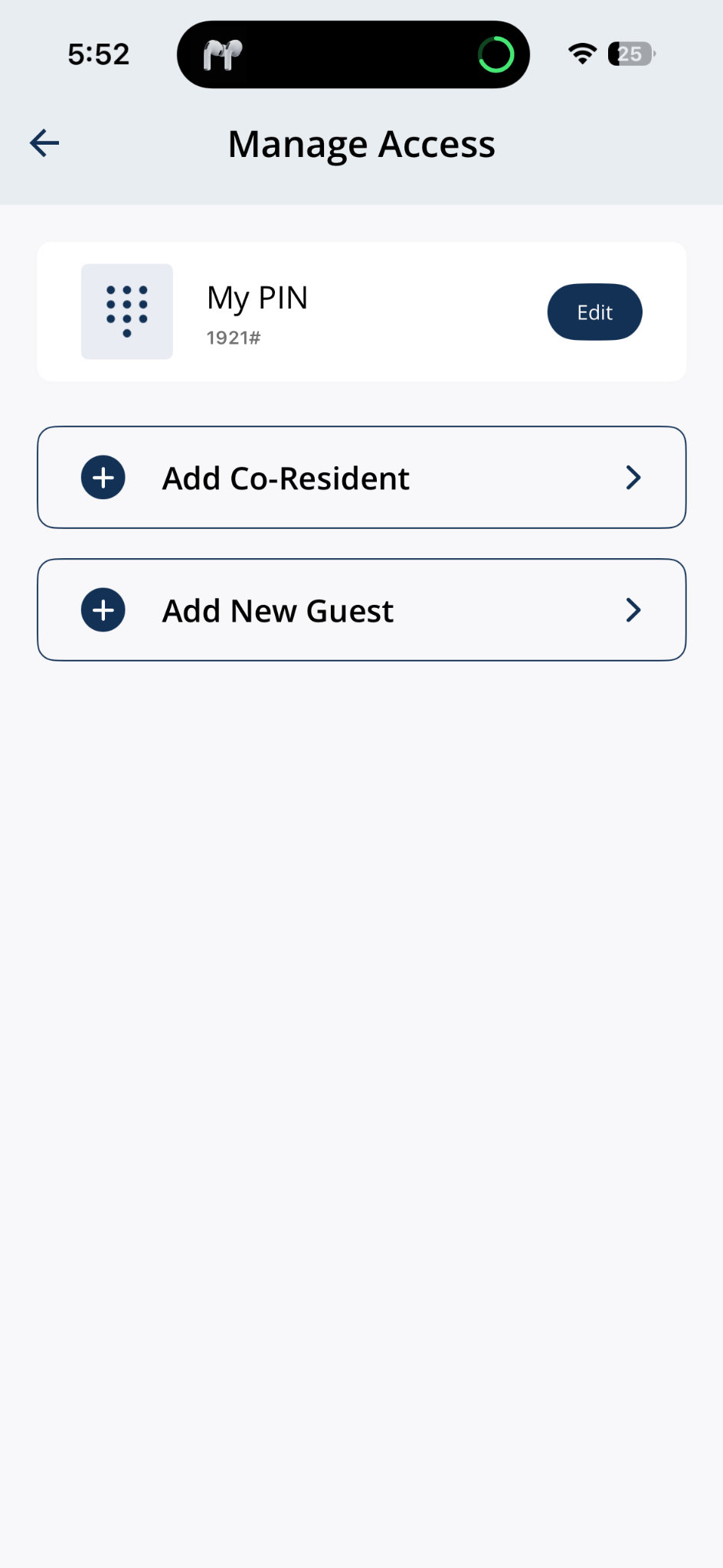
Open Manage Access from the home screen.
2Step 2: Review your guest list
- Scroll to Manage Guests and check how many guests, PINs, or invites are already active — the count shown next to Manage Guests tells you how many slots are in use.
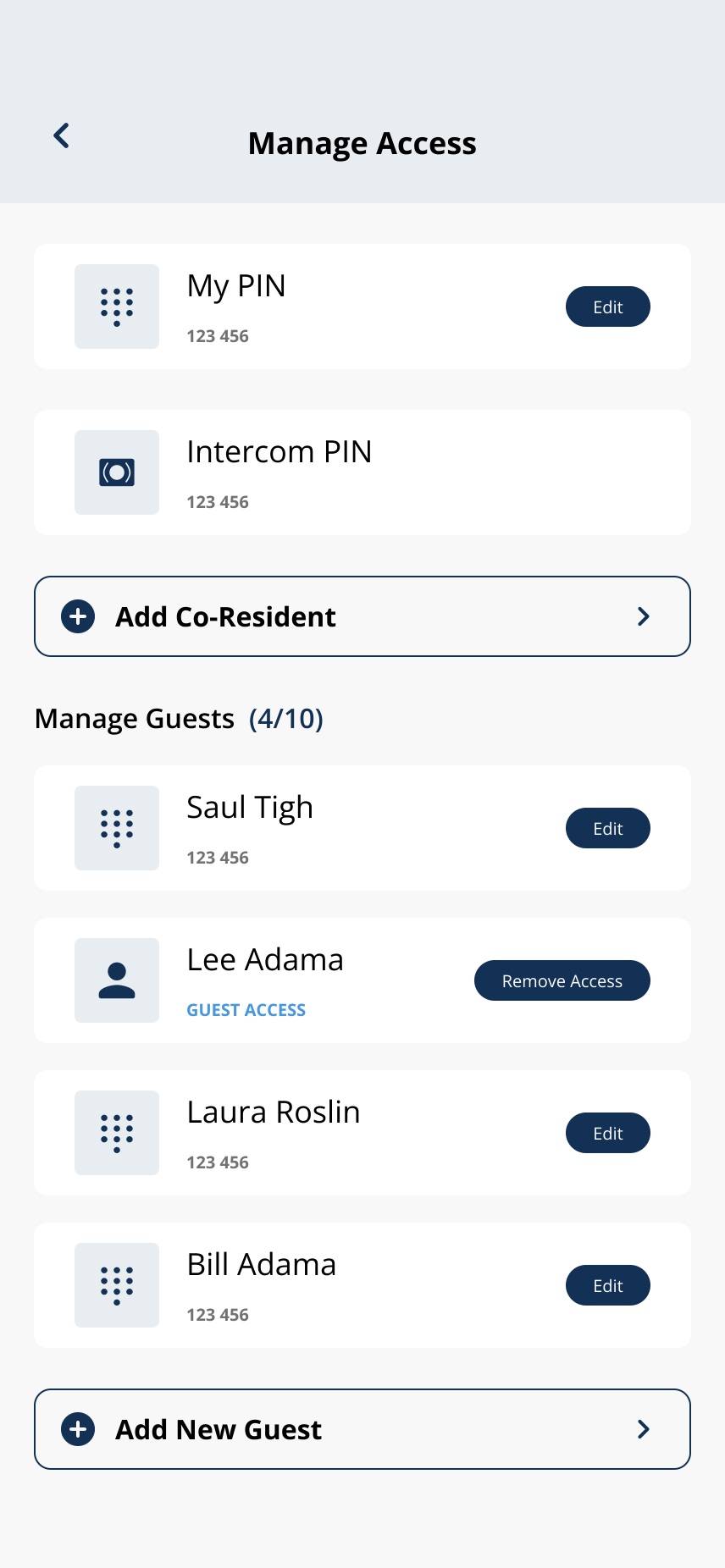
Review active guests and PI Ns under Manage Guests — the count shows how many slots are in use.
3Step 3: The guest limit message
- When you try to add a guest after reaching the limit, the app shows the Reached Maximum Allowance message.
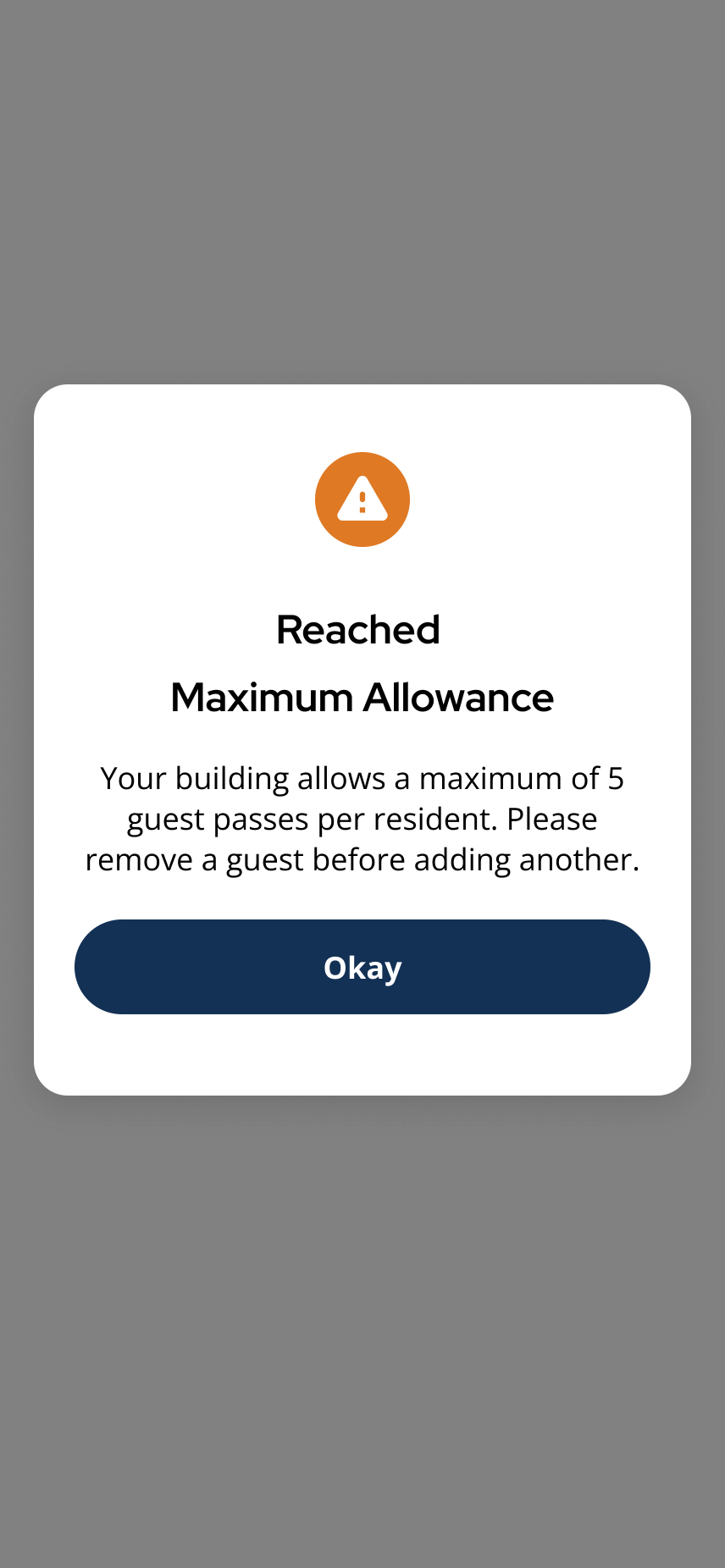
The app shows a Reached Maximum Allowance message when no more guest slots are available.
4Step 4: Remove access you no longer need
- Use Remove Access to remove guests who no longer need access, or Edit > Delete Doorcode to remove old guest PINs.
- See Remove Guest Access or Delete a Guest PIN for step-by-step instructions.
5Step 5: Try adding the new guest again
- Return to Add New Guest after freeing a slot.
Related articles
Remove Guest Access
1 min read
End a guest's access early — works the moment you tap, no notice required.
Guest Access FAQ
1 min read
Guest PIN vs Guest App, limits, building reach, removing access, and fixing invites that never arrive.
Can Guests Access the Building or Just My Home?
1 min read
Use this guide to send, manage, or troubleshoot guest access.
Delete a Guest PIN
1 min read
Use this guide to set up, enter, or troubleshoot PIN-based door access.