
Find App Version in the Grata App
Section: Account, Login & ProfileCategory: Software SupportHow-to1 min read
Summary
This article helps residents find the version number of the Grata app installed on their phone.
The App Version may be useful when troubleshooting, reporting an issue, or confirming whether the app is up to date. The exact location of the version number may vary slightly by App Version, phone type, or operating system. Residents may also be able to check the App Version through their phone's app settings or app store.
Step-by-Step Instructions
1Step 1: Open the Grata app
- Open the Grata app on your phone.
2Step 2: Go to Profile and Software Support
- From the home screen, tap the top-left icon to open the Profile menu.
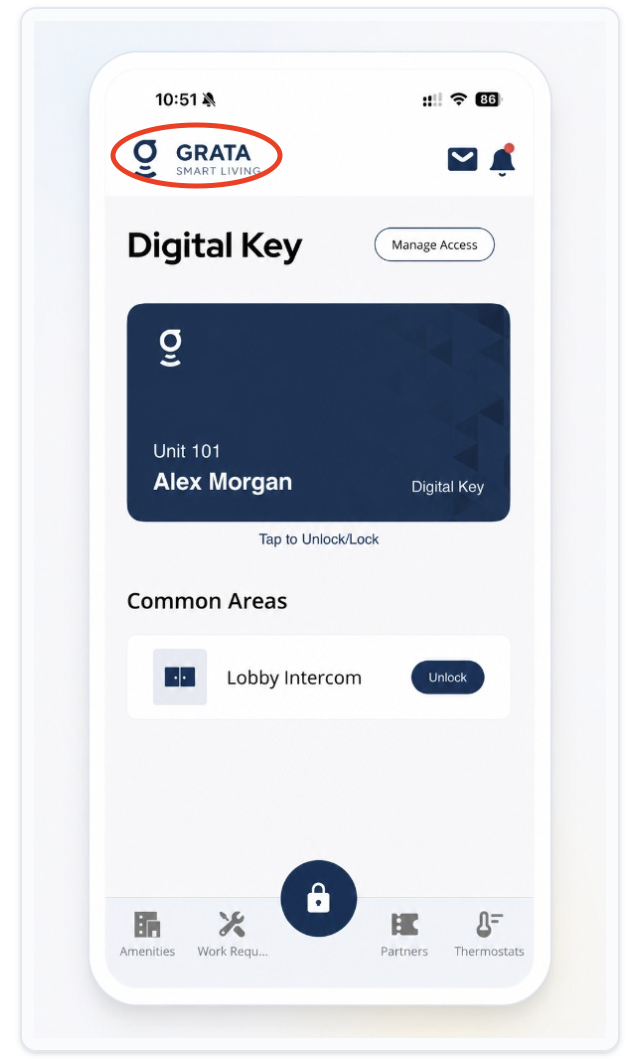
Tap the top-left icon from the Grata app home screen.
- On the Profile menu, tap Software Support.
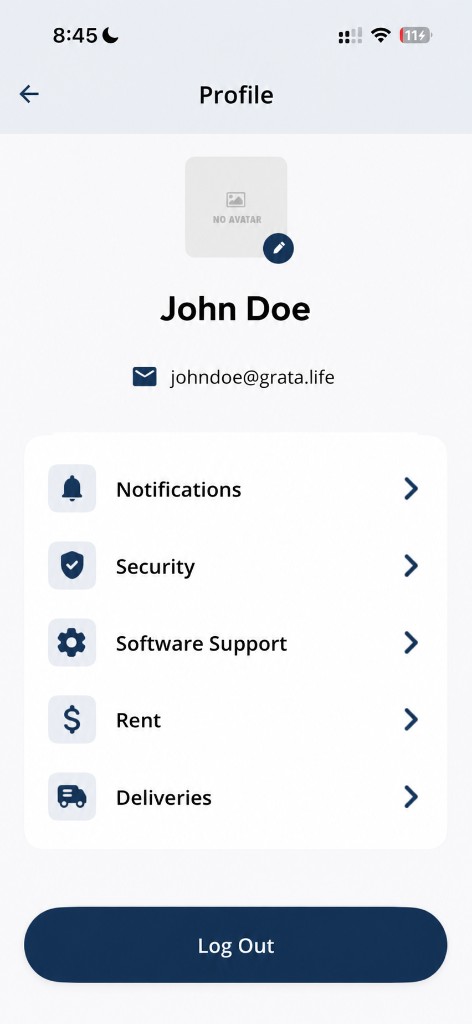
Tap Software Support from the Profile menu.
3Step 3: Look for the App Version number
- On the Software Support screen, look for the App Version section.
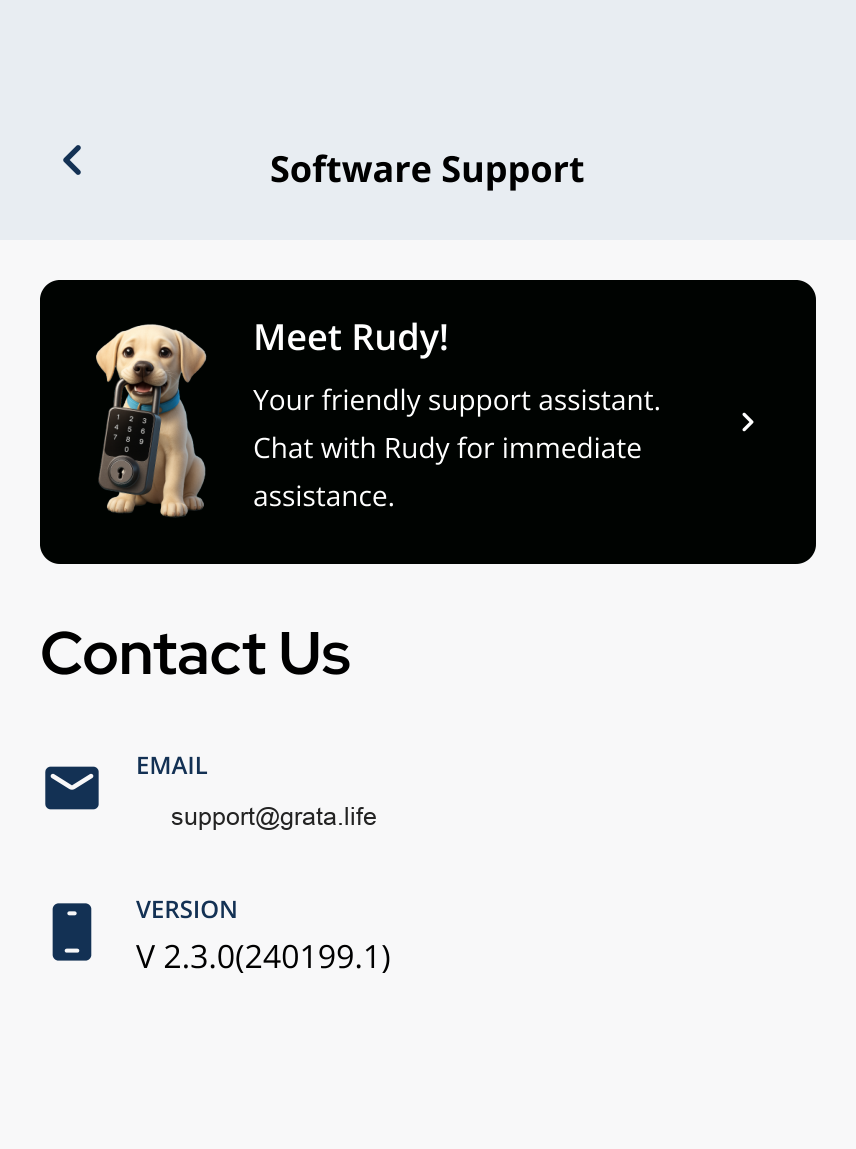
Software Support includes Rudy, Email Support, and App Version.
4Step 4: the version number if support asks for it
- Note the version shown for your device.
- it with support or property management when they ask which build you are using.
Why the App Version may be needed▾
- It helps confirm whether you are using an updated app.
- It can help troubleshoot bugs, login issues, display issues, notifications, access features, or device controls.
- Support teams may ask for it when investigating an issue.
If you cannot find the version number▾
- Check your phone's app settings for the installed Grata App Version.
- Check the App Store or Google Play listing for the installed version if available.
- Update the app from the App Store or Google Play if an update is available.
- App layout may vary slightly by version — look for Software Support under Profile.
Related articles
Download and Install the Grata App
1 min read
Install the white Grata Smart Living app from the App Store or Google Play, then continue to the [Sign In to t...
App Is Not Loading
1 min read
If Grata won't open or freezes on the loading screen, walk through these quick checks before contacting suppor...
Contact Support from the Grata App
1 min read
Open Profile > Software Support in Grata Smart Living to reach Meet Rudy or Email Support for app help.